How to automate Shopify blog posts (4 ways that work)
Learn how to automate Shopify blog posts with Sidekick, Shopify Flow, Make or n8n, and the Admin API, plus how to keep AI articles useful and ranking.


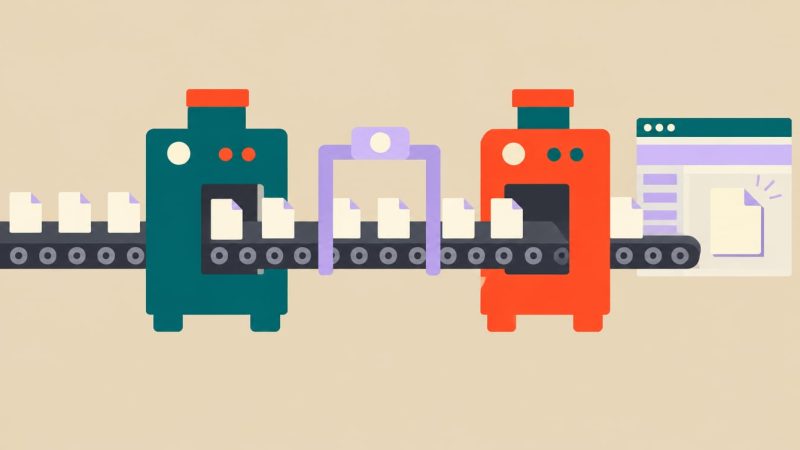
To automate Shopify blog posts, choose one of four routes: Shopify’s Sidekick to draft posts, Shopify Flow for in-store triggers, a tool such as Make or n8n linked to an AI model, or the Admin API articleCreate mutation. You can also use an SEO tool that researches, writes and publishes on a schedule.
Shopify blog automation means using AI writing, workflow tools or the Shopify API to research, write, schedule and publish store blog posts automatically. Content then goes live regularly without manual effort.
At a glance
- Shopify’s Sidekick can draft a blog post from a prompt, and supports multiple languages, according to the Shopify Help Center.
- The Admin GraphQL articleCreate mutation creates an article with a title, body and author, and can publish immediately or on a set date.
- Shopify Flow is Shopify’s ecommerce automation platform built on triggers, conditions and actions.
- Make advertises connections to 3,500+ apps, which lets you link an AI model to Shopify without code.
- SEO typically takes three to six months to build, so regular publishing matters more than one perfect post.
- Rank Otter’s first article is free with no card needed, and plans start at £99 + VAT a month for 30 articles.
How do you automate Shopify blog posts?
There are four realistic routes: Sidekick, Shopify Flow, Make or n8n with an AI model, and the Admin API. The right one depends on your technical skill and how hands-off you want to be.
It helps to split the job into stages: choosing topics, researching, writing, adding metadata and images, and publishing on a schedule. Each method covers some of these and leaves the rest to you.
- Sidekick: covers drafting. You choose topics, check the result and publish.
- Shopify Flow: covers in-store triggers and actions. It does not write articles by itself.
- Make or n8n plus AI: covers drafting, metadata and sending to Shopify, once you build the chain.
- Admin API: covers publishing and scheduling. Everything before that is yours to supply.
No single native Shopify feature handles every stage, which is why people combine tools or choose a platform built for the whole job.
Which method of Shopify blog automation is best?
Sidekick is best for quick drafts and Flow for store events. Make or n8n suit flexible no-code chains, the API suits custom builds, and an SEO platform suits hands-off publishing. The table sets them side by side.
| Method | Best for | Technical skill | Can it schedule posts? | Cost |
|---|---|---|---|---|
| Sidekick | Drafting single posts | Low | No, you publish manually | Check Shopify’s current pages |
| Shopify Flow | In-store triggers and tasks | Low to medium | Only as part of a wider build | Check Shopify’s current pages |
| Make or n8n plus AI | Custom no-code workflows | Medium | Yes, if you build it in | Tool plan plus AI model usage |
| Admin API articleCreate | Developers and custom needs | High | Yes, with a publish date | Developer time |
| SEO automation platform | Regular, researched publishing | Low | Yes | Rank Otter from £99 + VAT a month |
Vendor pricing changes, so check each current pricing page before you commit.
Which should you pick?
- Store owner: start with Sidekick, or an SEO platform if you want a steady schedule without the work.
- Developer: the API or n8n gives the most control.
- Agency: a platform that handles several client sites saves the most time.
Can Shopify Sidekick write blog posts for you?
Yes, Sidekick drafts a post from a prompt inside the Shopify admin. You still pick the topics, review each draft and publish it yourself.
In plain terms, you open the blog post editor, choose the option to draft a post, describe what you want and let Sidekick write it. The Shopify Help Center sets out the exact steps. It supports multiple languages, and clearer prompts give better suggestions. Name the audience, the question being answered and the tone you want.
The limits matter. Sidekick does not research the pages already ranking, keep a content calendar or publish on a schedule for you.
How do Shopify Flow, Make and n8n automate blog publishing?
Flow reacts to events inside your store, while Make and n8n chain steps across apps so an AI model’s output is sent to your Shopify blog.

Shopify Flow
Shopify Flow works on triggers (something happens), conditions (checks on that event) and actions (what follows). It suits in-store tasks such as tagging or notifications. On its own, it does not write articles.
Make or n8n with an AI model
A typical chain looks like this:
- Keep a list of topics in a spreadsheet.
- Send each topic to an AI model for a draft.
- Generate a title tag and meta description.
- Send the article to your Shopify blog.
- Set the publish date.
Make is hosted and advertises connections to 3,500+ apps. n8n offers a self-hosting option if you want more control over where it runs.
Expect upkeep. Connections can break, prompts drift and give odd results over time, and AI model usage costs money.
How do you schedule Shopify blog posts with the API?
Use the Admin GraphQL articleCreate mutation to set the title, body, author, handle, tags, image and a future publish date.
This suits developers, or agencies with custom needs. Check the current API version in the documentation, as versions change. Keep a human review step before anything goes live, because an API will publish poor copy as readily as good copy.
How do you keep automated Shopify blog posts useful and ranking?
Automate the process, not the thinking: base each post on what already ranks, answer real customer questions and publish consistently over months.
- Research first. Every article is researched from the pages already ranking on Google before a word is written.
- Choose your control. You can approve every article or switch to full autopilot. Start with approval, then loosen it as you trust the output.
- Use real material. Real photos and job stories beat stock content every time.
- Avoid near-identical pages. Never publish the same article for different towns. Google treats it as spam.
- Check robots.txt. Make sure it is not blocking AI search tools.
- Measure honestly. Use your own Google Search Console data rather than estimates.
SEO takes three to six months to build, so regular publishing matters more than one perfect post. Write about the questions your customers actually ask you.
Can an SEO tool publish to Shopify automatically for agencies?
Yes, tools like Rank Otter can help with researching, writing and publishing SEO articles, which suits agencies running several client sites. See the features page for detail.
Enter your website and we analyse it free in about 30 seconds. Your first article is written free, with no card. You then approve a 30-day plan, and articles are researched, written and published on your schedule.
Plans are priced in articles a month, not credits or words:
- Growth: £99 + VAT a month for 30 articles and 1 website.
- Pro: £199 + VAT a month for 75 articles and 3 websites.
- Agency: £449 + VAT a month for 200 articles and 10 client websites.
There is a 30-day money-back guarantee on your first payment, and you can cancel online in two clicks. Full details are on the pricing page.
Rank Otter is built by PS Website Design Ltd, a UK web and app development agency that has built and looked after websites for UK businesses since 2009. We use it on our own clients’ websites. To see how it would work for your store or your clients, get in touch and we will write your first article free.
Frequently asked questions
Is it safe to publish AI-written blog posts on Shopify?
Yes, provided a person checks quality and accuracy first. Review facts, add real photos and examples, and use approval mode until you trust the output.
Does Google penalise automated blog content?
Thin, near-identical pages are the risk, such as the same article repeated for different towns, which Google treats as spam. Useful posts based on real customer questions are a different matter.
How often should a Shopify store publish blog posts?
Regularly matters more than any set number. SEO takes three to six months to build, so pick a pace you can keep up and stick to it.
Do I need a developer to automate Shopify blog posts?
No. Sidekick, Make and an SEO platform need no code. Only the Admin API route calls for a developer.
Can I automate blog images and meta descriptions on Shopify?
Yes, with a Make or n8n chain or the API, which can set an image and metadata. Real photos still beat stock images, so add your own where you can.
Can I automate blogs for several Shopify client stores?
Yes. Rank Otter offers an Agency plan designed for managing multiple client websites. See the features page for current plan details.
How long until Shopify blog posts bring traffic?
SEO typically takes three to six months to build. Track progress in your own Google Search Console rather than relying on estimates.