How to publish to Webflow automatically: 4 methods
Learn how to publish to Webflow automatically with scheduling, the CMS API, Zapier, Make, n8n or an SEO tool that posts straight to your site.


You can publish to Webflow automatically in four ways. You can schedule CMS items in Webflow itself, or use the CMS API to create and publish items. You can also connect Zapier, Make or n8n to automate the same calls. Or you can use an SEO tool such as Rank Otter, which researches, writes and publishes blog posts to your site on a schedule.
Automatic publishing to Webflow is a way of sending blog posts or other CMS items to a live Webflow site on a schedule or trigger. You don’t have to create and publish each one by hand in the Designer.
At a glance
- Webflow CMS content is either staged (draft) or published, and publishing a draft item through the API sets isDraft to false.
- The Webflow CMS API can create, manage and publish items, with bulk operations and webhooks available.
- Webflow has built-in scheduled publishing for CMS items, so a post can be set to go live at a chosen time.
- Zapier, Make and n8n can all connect Webflow to other apps and AI tools without much code.
- SEO usually takes three to six months to build, so regular publishing matters more than one perfect post.
- Rank Otter’s first article is free with no card, and plans start at £99 + VAT a month for 30 articles and 1 website.
How can you publish to Webflow automatically?
There are four routes: Webflow’s own scheduling, the CMS API, no-code automation tools and an automated SEO service. Scheduling suits people writing a few posts by hand, the API suits developers, no-code tools suit anyone joining apps together, and an SEO service suits teams who want a steady flow of content.
- Native scheduling: you write the post, Webflow releases it at a set time.
- CMS API: your code creates and publishes items.
- Zapier, Make or n8n: a trigger runs the same steps with little or no code.
- Automated SEO service: research, writing and publishing are handled for you.
Scheduling and no-code tools need no programming. The API usually does. This guide covers blog posts and CMS items, not whole site redesigns. The table below compares all four.
Which automatic publishing method suits you best?
Choose scheduling for a few hand-written posts, the API for custom builds, no-code tools for connecting apps and an SEO service for ongoing content at volume. Scheduling is simple, but you still have to write and upload every post yourself.
| Method | Needs code? | What it can publish | Best for | Main drawback |
|---|---|---|---|---|
| Webflow scheduled publishing | No | CMS items you have already written | A few planned posts | You write every post |
| CMS API | Yes | Any CMS item, singly or in bulk | Custom workflows | Needs a developer |
| Zapier / Make / n8n | Little or none | Items from a sheet, form or AI tool | Joining existing apps | Content quality is down to you |
| Automated SEO service | No | Researched blog articles | Regular content at volume | Monthly subscription |
Agencies looking after several client sites will feel the drawbacks most. Writing and scheduling by hand across ten sites soon eats the week, which is where an API build or a service with multi-site plans earns its place.
How do you schedule a post in Webflow CMS?
Create the blog post in the CMS, choose a publish date and time instead of publishing now, and Webflow will release it automatically. You can reschedule it later if plans change.
The lesson on scheduled publishing shows three steps: create the item, set its schedule and, if needed, change the schedule afterwards.
The limit is plain. You still write and format every post, then upload it yourself. Check Webflow’s official help pages for the plan requirements before relying on scheduling, as plans and features change.
How do you publish to Webflow with the CMS API?
Authenticate with an API token, create a draft item in your collection, then call the publish endpoint for that item so it goes live. Webflow items are either staged (saved as a draft) or published, and the publishing guide explains the difference.
- Generate an API token with CMS scope in your Webflow site settings.
- Find your collection ID and the field names your blog collection uses.
- Create the item as a draft, filling in title, slug, body and any other required fields.
- Publish the item, or several at once, using the publish endpoint.
- Handle any errors and check that isDraft is false on the live item.
For larger workflows, the API supports bulk operations and webhooks, which let your system react when something changes on the site. A developer is usually needed. PS Website Design Ltd is the UK agency behind Rank Otter.
Can Zapier, Make or n8n publish to Webflow for you?
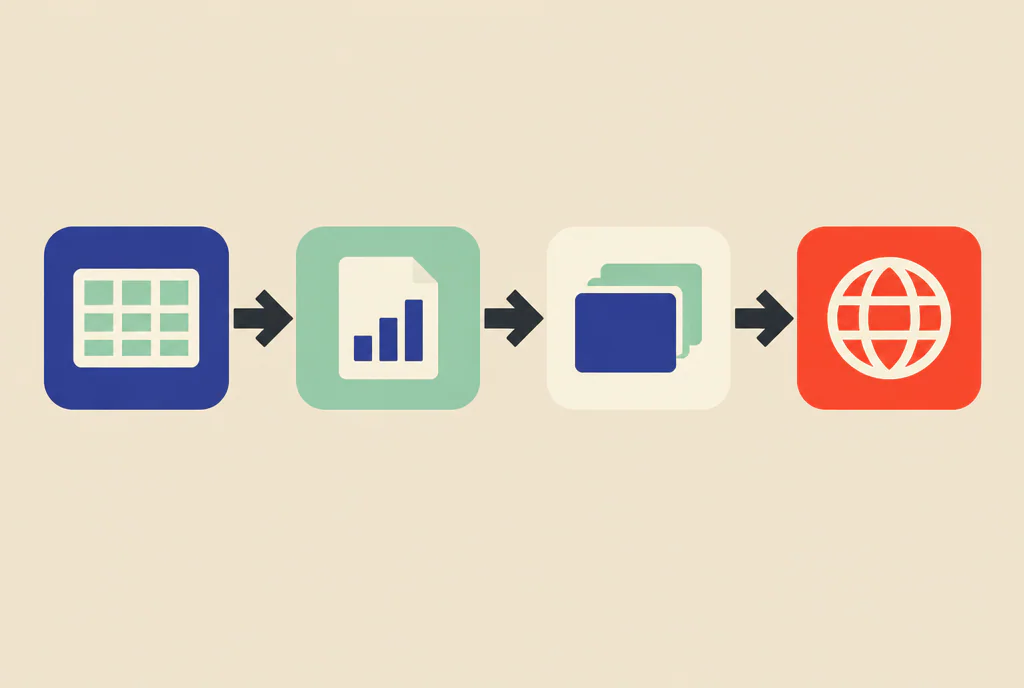
Yes. These tools can take a trigger such as a new row in Google Sheets or an AI-written draft, create a Webflow CMS item and publish it, usually with little code. Zapier lists its Webflow integrations if you want to see what connects.
- Zapier: the easiest to start with.
- Make: visual, with routers for branching flows.
- n8n: flexible and can be self-hosted.
A typical flow runs in four steps: trigger, generate or collect the content, create the item, publish it.
Be careful with AI text pushed straight to a live site. Without research or review it can be thin and repeat what already ranks. Before going live, test field mapping, images and slugs. Run a few items as drafts first.
Can an SEO tool publish blog posts to Webflow automatically?
Yes. Rank Otter researches the pages already ranking on Google, writes the article and publishes it to your site on your schedule, with approval optional.
Getting started is quick:
- Enter your website and we analyse it free in about 30 seconds.
- Your first article is written free, with no card.
- You approve a 30-day plan.
- Articles are researched, written and published on your schedule.
You choose the control you want, from approving every article to full autopilot. Results come from your own Google Search Console, not our estimates. See the features page for more detail.
Plans are priced in articles a month, not credits or words:
- Growth: £99 + VAT a month for 30 articles and 1 website
- Pro: £199 + VAT a month for 75 articles and 3 websites
- Agency: £449 + VAT a month for 200 articles and 10 client websites
There is a 30-day money-back guarantee on your first payment, and you can cancel online in two clicks. Rank Otter is built and supported by PS Website Design Ltd, who use it on their own clients’ websites.
What should you check before you automate publishing?
Automate only once the content is useful and the site is set up to be found: publish regularly, answer real customer questions and avoid near-identical pages.
- Write about the questions your customers actually ask you.
- Never publish near-identical pages for different towns, because Google treats them as spam.
- Check your robots.txt isn’t blocking AI search tools.
- Use real photos and job stories where you can, as they beat stock content every time.
- Expect three to six months before SEO results build, so steady publishing beats one perfect post.
Whichever route you pick, review a sample of automated posts before trusting the whole run. If you would like help setting up automatic publishing to Webflow, contact Rank Otter and we will talk you through it.
Frequently asked questions
Can Webflow publish posts automatically at a set time?
Yes. Webflow has built-in scheduled publishing for CMS items, so you can choose a date and time and the post goes live then. You still write each post yourself.
Do I need to code to publish to Webflow automatically?
No. Native scheduling, Zapier, Make, n8n and an SEO service such as Rank Otter all work without much or any code. Only the direct CMS API route usually needs a developer.
Can I publish AI-written articles to Webflow automatically?
Yes, through the API or a no-code tool, but quality matters. Text sent live without research or review can be thin. Check samples and base articles on what already ranks.
Does the Webflow API publish items straight away?
Not by default. Items created through the API are staged as drafts until you call the publish endpoint, which sets isDraft to false.
Is it safe to let articles go live without approval?
It can be, once you trust the output. Some teams approve each article at first, then consider moving to full autopilot after reviewing a few posts.
Can an agency automate publishing across several client Webflow sites?
Yes. An agency can build API workflows or use a service with multi-site plans. Rank Otter’s Agency plan covers 10 client websites and 200 articles a month for £449 + VAT.