How to publish blog posts automatically (3 methods)
Learn how to publish blog posts automatically: schedule in your CMS, use Zapier or Make, or run AI end to end. Steps, limits and UK advice.


To publish blog posts automatically, you have a few routes. You can write posts in advance and schedule them in your CMS. You can connect a tool such as Zapier or Make to post when a trigger fires. Or you can use an SEO platform that researches, writes and publishes to your site on a schedule. Choose by how much of the process you want to automate.
Automatic blog publishing is a way of putting posts live on your website on a schedule or trigger, without someone pressing publish by hand. It saves time and keeps content regular. This guide is about posts on your own website, not auto-posting to social media pages such as Facebook.
At a glance
- WordPress can publish posts automatically on a date you choose, with no extra automation software.
- Connecting WordPress to Zapier needs prerequisites such as an Editor or Administrator account and an SSL-secured site.
- A Zapier AI publishing flow runs on a weekly schedule, finds the next unpublished topic, generates the post HTML, publishes it and updates a status record.
- An RSS-based automation detects a new feed item, formats the content and publishes it to WordPress in three steps.
- SEO typically takes three to six months to build, so regular publishing matters more than one perfect post.
- Rank Otter’s Growth plan is £99 + VAT a month for 30 articles and 1 website, and the first article is free with no card.
What are the ways to publish blog posts automatically?
There are three levels. The first is scheduling finished posts in your CMS. The second is trigger-based automation with tools like Zapier or Make. The third is end-to-end platforms that research, write and publish for you. Each takes more setup or trust than the last, and each removes more manual work.
| Method | What it automates | Setup effort | Best for | Main limit |
|---|---|---|---|---|
| CMS scheduling | The publish button only | Low | Solo bloggers and small teams who write their own posts | You still write every post |
| Zapier or Make workflow | Publishing when a trigger fires, such as a new spreadsheet row | Medium | Teams with a content pipeline already in place | No built-in research or quality check |
| RSS-driven publishing | Turning new feed items into posts | Medium | Posting your own content from another feed | Republishing other sites’ content is duplicate content |
| End-to-end SEO platform | Research, writing, images and publishing | Low to medium | Agencies running many client sites | Output needs oversight and good research behind it |
A solo blogger with time to write is well served by CMS scheduling. An agency looking after many client sites will usually outgrow it quickly, because the writing and research are the slow parts, not the publishing click.
How do you schedule blog posts in your CMS?
Write the post, set a future publish date and time, and save it as scheduled. WordPress then publishes it automatically, with no extra software. Ghost and Webflow offer similar scheduling options.
Steps for WordPress
- Open the post in the editor and finish the writing, headings and images.
- In the post settings, find the Publish section and click the date beside “Publish”.
- Choose a future date and time.
- Click the Schedule button, which replaces the usual Publish button.
- Check the post appears as “Scheduled” in your posts list.
Build a calendar and batch your posts
Pick a steady rhythm you can keep, then write in batches. An afternoon each week to write and schedule the next few posts is easier to sustain than writing on the day. A simple shared calendar of topics, authors and dates is enough.
Why scheduled posts sometimes go out late
WordPress relies on a background task scheduler, known as cron, to trigger scheduled posts. Page caching or a stalled cron job can delay them. Check your posts list for a “Missed schedule” label, clear your cache and ask your host whether scheduled tasks are running.
The limit is plain: scheduling saves you pressing a button, but you still write every post yourself.
How do you auto-publish with Zapier or Make?
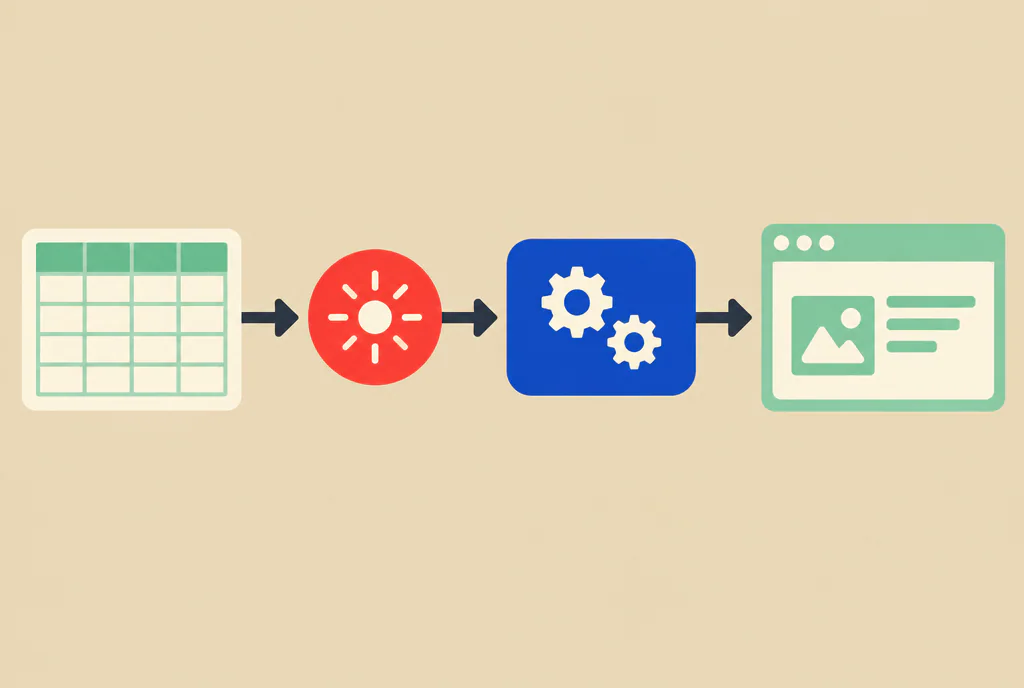
Connect your CMS to the automation tool, choose a trigger such as a new row in a sheet or a new RSS item, and set an action that creates the post. The tool then does the publishing each time the trigger fires.
Prerequisites
Before you build anything, check the connection. Zapier’s WordPress guide lists requirements such as an Editor or Administrator account and an SSL-secured site (one served over https). Some setups also need a plugin, so read the current instructions for your version of WordPress. Make has its own connection steps, so check those too.
The basic flow
- Choose a trigger, such as a new spreadsheet row, a new item in a table or a schedule.
- Format the content so headings, links and images arrive as clean HTML.
- Create the post in WordPress, as a draft if you want a human check or as published if you do not.
- Update a status record so the same topic is never posted twice.
A worked example
Zapier describes a flow that publishes AI-written blog posts and updates a status table. It runs on a weekly schedule, finds the next unpublished topic, generates the post HTML, publishes it and marks the topic as done. It is a neat pattern, and the status table is the part worth copying whatever tool you use.
RSS-to-post automation
An RSS-based automation spots a new feed item, formats the content and publishes it to WordPress in three steps. Use it for feeds you own. Republishing other sites’ articles on your blog is duplicate content, which adds little value for readers and can hurt your site.
Limitations
- Connections can break when passwords, permissions or plugins change.
- Formatting errors can slip through, such as stray code or missing images.
- The tool publishes whatever it is given. It does no research and no quality check.
Can AI write and publish blog posts automatically?
Yes. AI platforms can research a topic, write the article and publish it to your site on a schedule, but results depend on the research behind each post and on human oversight. Speed without substance just produces more thin pages.
The full loop
An end-to-end setup covers topic planning, research, drafting, images, publishing and tracking. That is the work a content team would normally split across several people, which is why agencies look at it for client sites.
What separates useful output from thin content
Good posts start from what already ranks. They also carry real detail: UK specifics, real photos and real job stories. Real photos and job stories beat stock content every time, so feed your own material into whatever you use. Posts that only restate the obvious will not earn their place in search results.
How Rank Otter works
Rank Otter is an automatic SEO platform that posts articles directly to your site. Every article is researched from the pages already ranking on Google before a word is written. You choose how much control you want. That can be approving every article or full autopilot.
- Enter your website and we analyse it free in about 30 seconds.
- Your first article is written free, with no card.
- You approve a 30-day plan.
- Articles are researched, written and published on your schedule, either approved one by one or automatically.
Rank Otter is built by PS Website Design Ltd, a UK web and app development agency that has built and looked after websites for UK businesses since 2009. We use it on our own clients’ websites. You can see what is included on our features page.
Pricing by article count
Plans are priced in articles a month, not credits or words.
| Plan | Price | Articles a month | Websites |
|---|---|---|---|
| Growth | £99 + VAT a month | 30 | 1 |
| Pro | £199 + VAT a month | 75 | 3 |
| Agency | £449 + VAT a month | 200 | 10 client websites |
The first article is free with no card, and there is a 30-day money-back guarantee on your first payment. You can cancel online in two clicks. Full details are on our pricing page.
What should you check before automating your blog?
Check access, quality and crawlability first. You need a secure site and the right account permissions. You also need a review step and a robots.txt that does not block search or AI crawlers. Fixing these before you switch anything on saves awkward clean-up later.
Prerequisites checklist
- A CMS login with the right role, such as Editor or Administrator in WordPress.
- SSL, so your site runs on https.
- A recent backup, in case something publishes that should not have.
- Categories and an author profile set up, so posts land in the right place.
Check robots.txt
Your robots.txt file tells crawlers which parts of your site they may visit. Check it is not blocking AI search tools, or your new posts may never be seen by them. Open yoursite.co.uk/robots.txt and read it line by line.
Write about real customer questions
Choose topics from the questions your customers actually ask you. Sales emails, phone calls and enquiry forms are all good sources.
Avoid near-identical town pages
Never publish near-identical pages for different towns. Google treats them as spam. If you cover several areas, give each page something genuinely local and different to say.
Keep a human approval step
Keep a human approval step until you trust the output. Read a handful of posts closely, then loosen control if the quality holds. Agencies running client sites may want to keep approval on for longer. Our small business page explains the options.
How do you know automatic publishing is working?
Track impressions, clicks and rankings for the new posts in Google Search Console, and give it three to six months before judging results. SEO takes that long to build, so patience matters.
Use your own data
Google Search Console is Google’s free tool showing how your site appears in search. Rely on it rather than a vendor’s estimates. It shows what actually happened on your site. Our Rank Otter results come from your own Google Search Console, not our estimates.
What to monitor
- Indexing: whether Google has picked up each new post.
- Impressions: how often the post appears in results.
- Queries: the searches that bring people to it.
- Click-through rate: the share of impressions that become visits.
Regular beats perfect
Publishing regularly matters more than one perfect post. A steady run of useful articles builds more than a single polished piece.
When to pause or adjust
Pause and review if posts are not being indexed or pages look thin. Do the same if topics drift away from what your customers care about. Tighten the topic list, add real detail and switch approval back on if needed.
If you would like to see this working on your own site, contact Rank Otter. Enter your website and we will analyse it free, and your first article is on us with no card needed.
Frequently asked questions
Is it safe to publish AI blog posts automatically?
It can be, if you control the quality. Use research-led posts, check a sample before loosening approval and keep backups. Risk comes from thin or repetitive content. It doesn’t come from automation itself.
Does Google penalise automatically published content?
Automatic publishing is not a problem in itself. Near-identical pages, copied feeds and thin posts are, because Google treats duplicate and spammy pages poorly. Publish useful, original content however it goes live.
How often should I publish blog posts?
Publish at a pace you can keep up. Regular publishing matters more than one perfect post, so a steady weekly rhythm beats bursts followed by silence.
Can I schedule blog posts in WordPress for free?
Yes. WordPress can publish posts automatically on a date you choose, with no extra automation software. Set a future date in the post settings and click Schedule.
What is the best way to auto-publish to multiple client websites?
An end-to-end platform with multi-site plans is usually the easiest route for agencies. Rank Otter’s Agency plan covers 10 client websites and 200 articles a month for £449 + VAT, with approval or autopilot set to suit each client.
Do I need a plugin to connect WordPress to Zapier?
Requirements vary, so check Zapier’s current WordPress guide. It lists prerequisites such as an Editor or Administrator account and an SSL-secured site, and notes any plugin your setup needs.
How long does it take for automated blog posts to rank?
SEO typically takes three to six months to build. Track progress in your own Google Search Console and judge results over that period rather than week by week.