How to schedule blog posts in WordPress, step by step
Learn how to schedule blog posts in WordPress with the block editor, fix missed schedules, and plan a regular publishing calendar that builds SEO over time.


To schedule blog posts in WordPress, open the post in the block editor, click the date next to Publish in the settings sidebar, choose a future date and time, then click Schedule. WordPress publishes the post automatically at that time, so you can prepare several posts in advance.
Scheduling blog posts in WordPress is a built-in editor feature that publishes a finished post automatically at a future date and time you choose, so content goes live without you being online.
At a glance
- Scheduling is set in the Publish section of the post settings sidebar, by clicking the date shown next to Publish (usually “Immediately”), as the WordPress.org Documentation explains.
- The same process works for pages, and you can backdate, reschedule or unschedule a post, according to WordPress.com Support.
- Scheduled posts rely on a site visit to trigger publishing, so a missed schedule is a known issue to troubleshoot.
- SEO typically takes three to six months to build, so regular publishing matters more than one perfect post.
- Major social platforms have no documented penalty for scheduled posts, according to Recurpost.
How do you schedule a blog post in WordPress?
Open the post, click the date beside Publish in the settings sidebar, pick a future date and time, then press Schedule. The post publishes by itself at that moment.
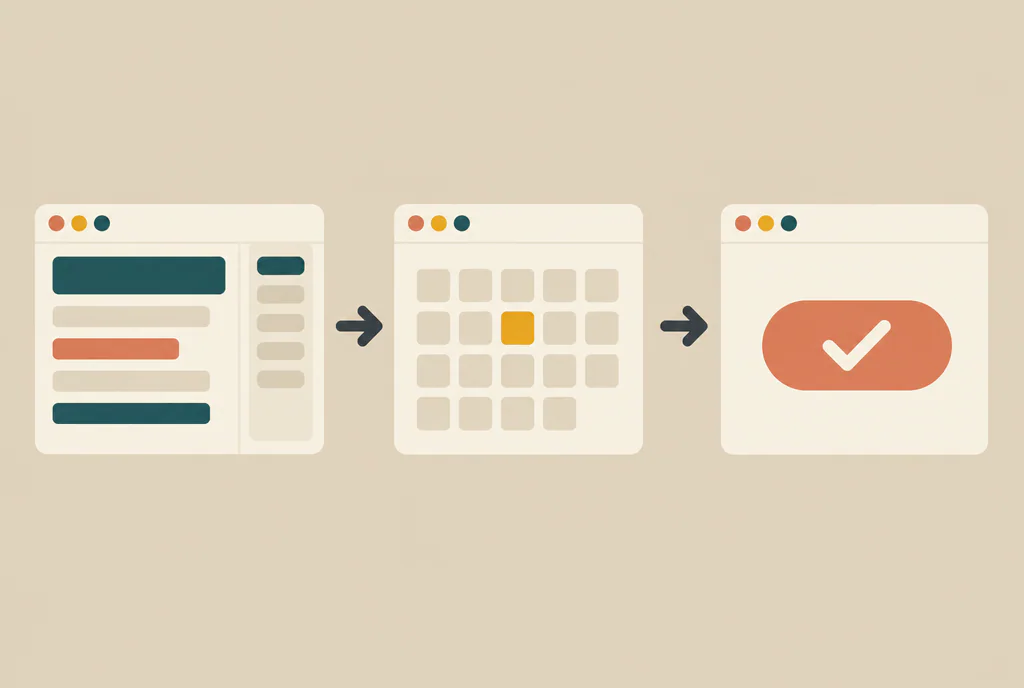
- Go to Posts, then Add New, or open an existing draft. Finish writing the content.
- If the settings sidebar is hidden, click the cog icon in the top right corner to open it.
- Click the date next to Publish. It usually reads “Immediately”. A calendar opens, where you choose the date and time.
- The main button changes from Publish to Schedule. Click it, then confirm in the panel that appears.
- Check the result under Posts, then filter by Scheduled to see everything waiting to go live.
What looks different in the Classic Editor?
The Classic Editor has the same feature in a different place. In the Publish box, click Edit beside “Publish immediately”, set the date and time, then click Schedule. The layout changes with block themes and the older editor. The result doesn’t.
Which time zone does WordPress use when scheduling?
WordPress schedules using the time zone set under Settings, General, so set it to London to get UK time, including the clocks changing.
Choose the London city option rather than a fixed UTC offset. A fixed offset will not move with the clocks, so posts can go out an hour early or late once British Summer Time (BST) starts or ends. With London selected, WordPress switches between GMT and BST for you.
After setting it, check the time shown next to the date in the editor. If it does not match your own clock, the time zone setting is the first place to look.
How do you reschedule, unschedule or backdate a post?
Reopen the post and click the scheduled date to change it, or switch the post back to draft to unschedule it. Backdating is done by setting a past date.
- Reschedule: change the date and time, then click Update.
- Unschedule: switch the post to draft. It stays saved but will not publish.
- Backdate: pick a past date and publish. Use this sparingly, because it changes where the post sits in your archives and feeds.
The same steps apply to pages, so you can schedule a new service page just as you would a blog post.
Why isn’t WordPress publishing my scheduled posts?
Missed schedules usually happen because the WordPress scheduler only runs when someone visits the site, or because of caching, a wrong time zone or a plugin conflict.
When a post misses its time, WordPress labels it “Missed schedule”. The scheduler (called WP-Cron) is triggered by site visits, so a quiet site can leave a post waiting. Work through these checks in order:
- Confirm the time zone under Settings, General.
- Clear any caching plugin or host cache, then test with a post scheduled a few minutes ahead.
- Disable plugins one at a time to find a conflict.
- On low-traffic sites, set up a real server cron job (a timed task run by the server itself) in place of WP-Cron, or ask your host to do it.
As a quick fix, open the missed post and publish it manually.
Do scheduled posts get fewer views?
No. Scheduling does not reduce views or search visibility; a WordPress post published on a schedule is treated like any other published post.
The worry mostly comes from social media. Recurpost reports that major platforms such as Instagram have no documented penalty for scheduled posts. For Google, your post is simply live from the publish time.
What matters is quality, matching real customer questions and publishing when your audience is active. Share the post once it is live, too.
What’s the best way to plan a schedule that helps SEO?
Publish regularly on a rhythm you can keep, covering the questions your customers actually ask, because SEO takes three to six months to build.
- Write in batches, then schedule the posts across several weeks.
- Keep a simple calendar with three columns: topic, keyword and publish date.
- Never publish near-identical pages for different towns. Google treats them as spam.
- Use real photos and real job stories rather than stock content.
- Check your robots.txt file isn’t blocking AI search tools.
Regular publishing matters more than one perfect post. Rank Otter publishes on your schedule, and every article is researched from the pages already ranking on Google before a word is written. You can see how it works on our features page.
Can you automate scheduling for a whole content plan?
Yes. For agencies and SEO teams, a tool can research, write and publish articles directly to WordPress on a set schedule, so the calendar fills itself.
| Option | Effort | Best for |
|---|---|---|
| Manual scheduling in the editor | You write and schedule every post | A few posts a month |
| Scheduling plugins | You still write; the plugin helps manage dates | Teams with their own writers |
| Automated publishing with Rank Otter | Research, writing and publishing handled for you | Agencies and SEO teams scaling output |
Here is how Rank Otter works. Enter your website and we analyse it free in about 30 seconds. Your first article is written free, with no card needed. You approve a 30-day plan, then articles are researched, written and published on your schedule. You can approve each one or let them publish automatically. Results come from your own Google Search Console, not our estimates.
Plans are priced in articles a month:
- Growth: £99 + VAT a month for 30 articles and 1 website
- Pro: £199 + VAT a month for 75 articles and 3 websites
- Agency: £449 + VAT a month for 200 articles and 10 client websites
There is a 30-day money-back guarantee on your first payment, and you can cancel online in two clicks. Rank Otter is built by PS Website Design Ltd, a UK web and app development agency that has built and looked after websites since 2009, and we use it on our own clients’ websites. See the pricing page for details, or contact Rank Otter to get your free first article.
Frequently asked questions
Can I schedule a WordPress page as well as a post?
Yes, WordPress pages can be scheduled in exactly the same way as posts. Click the date beside Publish, choose a future time and click Schedule.
Can I schedule posts on WordPress.com and WordPress.org the same way?
Yes, the steps are very similar on both. The block editor places the Publish date in the settings sidebar, and the WordPress.com Support guide covers the same process.
How far ahead can I schedule a post?
The brief for this article gives no fixed limit, so choose a date that suits your plan. Scheduling several weeks ahead works well for a steady publishing rhythm.
What does “Missed schedule” mean in WordPress?
“Missed schedule” means a post did not publish at its chosen time. It usually points to the visit-triggered scheduler, caching, a wrong time zone or a plugin conflict.
Do I need a plugin to schedule posts?
No, scheduling is built into WordPress, so a plugin is not needed for the basics. Plugins only help if you want extra planning tools.
How do I schedule updates to an already published post?
The brief for this article does not cover this, and the built-in steps here apply to posts that have not yet gone live. Check your WordPress version’s documentation or ask your host before relying on it.
How many posts should I schedule each week?
Choose the number you can keep up consistently. SEO takes three to six months to build, so a steady rhythm you can maintain matters more than a high number.