SEO automation tool reviews: what to use and what to skip
Honest SEO automation tool reviews for UK agencies: what each type automates, what it costs, where it falls short and how to pick the right one.

The best SEO automation tool reviews sort tools by the job they automate, not by star rating alone. Monitoring tools such as SE Ranking and Semrush handle audits and rank tracking, while content tools research, write and publish articles. Pick the tool that matches the work you want off your plate. Then test it on one site.
At a glance
- Two kinds of product are sold as “automated SEO”: tools that automate monitoring (scheduled crawls, rank tracking, alerts) and tools that automate the work itself, leaving less with you. (Distribb)
- Most tools reviewed on the ranking pages recommend keeping a human approval step for content and on-page changes, rather than full autopilot. (SEOJuice)
- Review sites such as G2 show scores per tool, so check the current score and date yourself before buying.
- Rank Otter plans are priced in articles a month: Growth £99 + VAT (30 articles, 1 website), Pro £199 + VAT (75 articles, 3 websites), Agency £449 + VAT (200 articles, 10 client websites).
- Rank Otter’s first article is free with no card needed, and there is a 30-day money-back guarantee on the first payment.
- SEO usually takes three to six months to build, so regular publishing matters more than one perfect post.
What are the best SEO automation tools in 2026?
There is no single winner, because the tools do different jobs. SE Ranking suits value and reporting and Semrush has the broadest suite. Screaming Frog is strong for scheduled crawls. Surfer and Frase score content, and an article-publishing tool such as Rank Otter handles hands-off content.
The table below sorts them by job. Ratings change often, so we have not copied scores into it as fact. Look up the live score and its date before you rely on any of them.
| Tool | Best for | What it automates | Rating to check | Starting price |
|---|---|---|---|---|
| SE Ranking | Value and reporting | Audits, rank tracking, reports | Check vendor pricing page | |
| Semrush | Broadest suite | Audits, tracking, research, reporting | See vendor pricing page | |
| Screaming Frog | Scheduled crawls | Site crawls and technical checks | Check G2 or Capterra | See vendor pricing page |
| Surfer / Frase | Content scoring | Content briefs and optimisation scores | Check G2 or Capterra | Vendor pricing pages |
| Rank Otter | Publishing articles to your site | Research, writing and publishing | Not yet a review-site score; see your own Search Console | £99 + VAT a month (Growth) |
Prices change, so open each vendor’s own pricing page on the day you buy. Many are quoted in dollars, which matters once you add UK VAT and exchange rates.
What does SEO automation actually mean?
It covers four levels: collecting data, analysing and flagging issues, drafting content and deploying changes automatically. Most tools stop at the first two and leave the work with you.
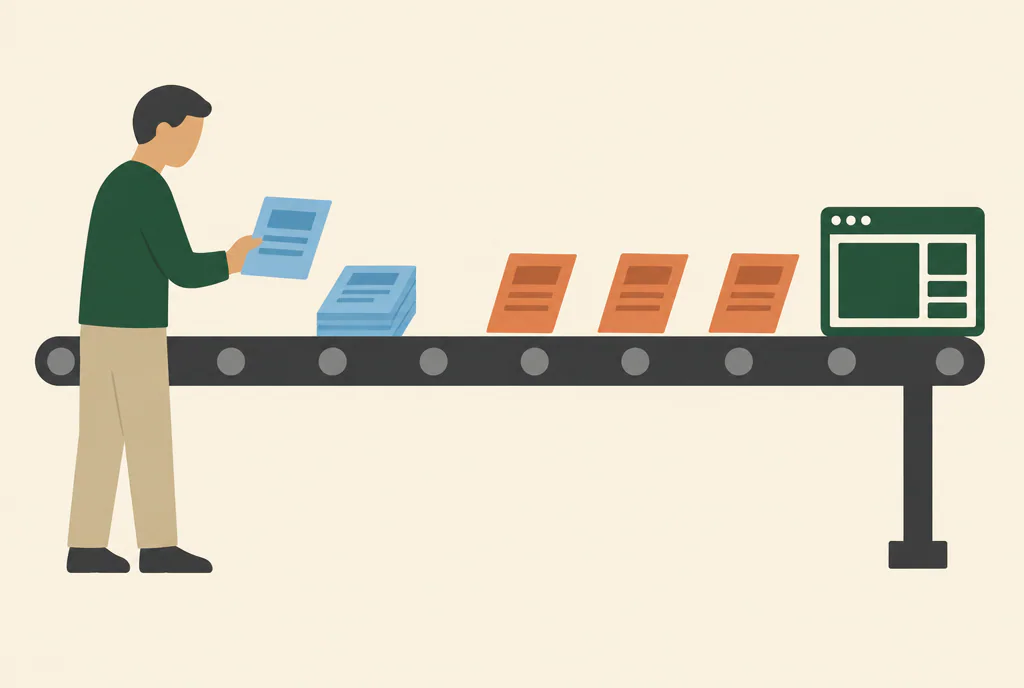
That split is the one the top-ranking pages use too. Distribb separates tools that monitor from tools that do the work, and it is a useful way to read any review. A tool that sends you a weekly list of 200 issues has automated the finding. It has not automated the fixing.
Which tasks are safe to automate?
- Site audits and scheduled crawls
- Rank tracking and alerts
- Reporting for clients
- Internal link suggestions
These are low risk because a person still decides what to do with the output.
Which tasks need a human approval gate?
- Live on-page edits to titles, headings and copy
- Any claim about a product, service or result
- Local detail such as areas covered, prices and opening hours
The SEOJuice guide makes the same point: automate the workflow, not the judgement. We agree. It’s why Rank Otter lets you choose your level of control. You can approve every article before it goes live, or switch to full autopilot once you trust the output.
Which SEO automation tool is best for each job?
Match the tool to the job: audits and crawling, rank tracking, content scoring, on-page fixes or publishing articles. Each block below gives a one-line answer first, then the detail.
Which tool automates site audits?
Best for audits: Screaming Frog for depth, Semrush or SE Ranking for scheduled, hands-off checks. Features to look for include scheduled crawls, issue alerts, comparison between crawls, and exportable reports for sharing. The honest drawback is volume. Audit tools find more issues than most teams have time to fix, so you need a way to rank them by impact.
Which tool is best for rank tracking and reporting?
SE Ranking and Semrush both cover this well. Expect daily or weekly position checks, competitor tracking, white-label style reports and alerts for big movements. Drawback: rankings alone do not tell you what to do next, and prices rise as you add keywords or projects.
What about Ahrefs?
Ahrefs is a strong choice for backlink and keyword research, with site audits and rank tracking alongside. The drawback: it is a research tool first, so you still do the writing and publishing yourself.
Which tool scores content?
Surfer and Frase help you shape a page against what already ranks. Typical features are content briefs, keyword suggestions, scoring as you write and outline generation. Drawback: a high score does not make a page useful, and you still need someone to write, check and publish it.
Which tool automates on-page fixes?
Alli AI is built for pushing on-page changes to a site at scale. Look for bulk title and meta updates, plus schema and internal linking changes. Drawback: changes that go live across many pages are exactly where mistakes hurt. Keep an approval step.
Which tool automates article publishing?
This is the job Rank Otter does. Every article is researched from the pages already ranking on Google before a word is written, then published directly to your site. You approve each article or let them publish automatically. You can see the details on our features page. Drawback: it does one job, content publishing. It does not replace a crawler or a rank tracker, so it is worth pairing it with one.
How do you judge SEO automation tool reviews?
Check who wrote the review, how the tool was tested, whether there are affiliate links and how recent the rating is. Independent user ratings on G2 or Capterra beat a vendor’s own ranking of itself.
Spot affiliate and self-promotional lists
Many “best tools” posts are written by a vendor that then ranks its own product first. Others earn commission on every click. Neither is automatically wrong, but you should know it. Look for a disclosure, a described testing method and some criticism of every tool, including the one at the top.
Check dates and review counts
A score of 4.8 from a handful of reviews tells you less than 4.5 from hundreds. Old comparison grids are the worst offenders, as features and prices move quickly. If a page is undated, treat it with caution. A guide like Toolradar’s SEO tools roundup is a good starting point for names, but confirm details on the vendor’s site.
Look for real results
Ask where any claimed results came from. Screenshots from Google Search Console carry weight. Estimates from a third-party tool are a guess. This is why we show results from your own Search Console rather than our own projections.
How we evaluated the tools
We sorted the tools by these criteria, using vendor information and published reviews rather than claiming a lab test of each one:
- What is actually automated, and what is left with you
- How much control you keep
- How clear the pricing is
- Support quality
- Fit for UK buyers, including VAT and pricing in pounds
Rank Otter is our own product, so weigh our comments on it accordingly. A wider SEO automation software review from SaveYourClicks is worth reading alongside this one for another view.
How much do SEO automation tools cost?
Costs range from tens of pounds a month for a focused tool to hundreds for full suites, and far more for enterprise platforms. Check whether pricing is by seats, credits, words or articles, because that decides what you really pay.
| Pricing model | What you pay for | Watch out for |
|---|---|---|
| Seats | Each user on the account | Cost climbs as the team grows |
| Credits | Actions such as reports or generations | Hard to predict monthly spend |
| Words | Volume of text produced | Long articles use up the allowance fast |
| Articles | Finished articles a month | Check the number of sites included |
What Rank Otter costs
We price in articles a month, not credits or words. Our pricing page has the full detail, and the plans are:
- Growth: £99 + VAT a month for 30 articles and 1 website
- Pro: £199 + VAT a month for 75 articles and 3 websites
- Agency: £449 + VAT a month for 200 articles and 10 client websites
Your first article is free and needs no card. You also get a 30-day money-back guarantee on your first payment, and you can cancel online in two clicks.
Extra costs to look for
- Add-ons for extra keywords, projects or users
- Charges for additional websites
- VAT on top of US-priced tools, plus exchange rate changes
How should an agency choose and test a tool?
Shortlist two tools for the job you want to automate, test them on one real site for a month, and judge them on time saved and Search Console results.
A simple buying checklist
- Which job do you want off your plate?
- How much control do you need over what goes live?
- How many sites will it cover?
- Can it give you reporting you can show a client?
- What support is there when something breaks?
Stack ideas by agency size
- Small: one monitoring tool plus one content tool, kept simple.
- Growing: add a crawler for technical work and a content scoring tool.
- Mature: a full suite, a crawler and a publishing tool, with approval gates written into your process.
Our experience
Rank Otter is built by PS Website Design Ltd, a UK web and app development agency. If you are a smaller business owner rather than an agency, our small business page explains how it fits.
Practical advice whichever tool you pick
- Publish regularly. It matters more than one perfect post.
- Write about the questions your customers actually ask you.
- Real photos and real job stories beat stock content every time.
- Check your robots.txt isn’t blocking AI search tools.
- Never publish near-identical pages for different towns. Google treats them as spam.
What can’t SEO automation do?
It cannot replace strategy, first-hand experience or judgement, and it cannot produce results quickly. Expect three to six months before SEO builds.
Original photos, real job stories and expert opinion still have to come from the business. A tool can structure and publish an article, but only your team knows what happened on site or what a client really asked.
Quality can also suffer at scale. Publishing hundreds of pages fast can leave you with thin or duplicated content, especially if you copy one page across several towns. Keep approval gates wherever accuracy matters, such as prices, service areas and technical claims.
If you want to see how automated publishing works on one of your own sites, get in touch with Rank Otter. We analyse your website free in about 30 seconds, and your first article is written free with no card needed.
Frequently asked questions
Is SEO automation safe for Google rankings?
It can be, if the content is useful, accurate and not duplicated. The risk comes from mass-producing near-identical pages. Keep a human approval step where accuracy matters.
Can SEO automation replace an SEO specialist?
No. Automation handles repetitive work, but strategy, judgement and first-hand knowledge still need a person.
Are free SEO automation tools worth using?
Often yes, for trying a workflow or covering a small site. Expect limits on pages, keywords or features. A free first article, like ours, is a safe way to test quality.
What is the best SEO automation tool for a small agency?
Start with one tool for the job that eats most of your time, such as SE Ranking for reporting or a publishing tool for content. Test it on one site before adding more.
Some tools can publish directly to a site. Our tool, Rank Otter, publishes articles straight to your site, and you choose whether to approve each one first or let them go out automatically.
How long does SEO automation take to show results?
SEO usually takes three to six months to build. Regular publishing matters more than one perfect post.
Do SEO automation tools help with AI Overviews and ChatGPT visibility?
Clear, useful articles that answer real questions give you a better chance of being quoted. Also check that your robots.txt isn’t blocking AI search tools.