SEO tool guide: what they do and which to use in 2026
What is an SEO tool, which types exist and which suits you? A UK guide to free and paid options, from Search Console to automated content tools.

An SEO tool is software that helps you get found on Google by researching keywords, auditing your site, checking backlinks and tracking rankings. Google Search Console is the free starting point. Semrush and Ahrefs are paid all-in-one options. Automated tools can write and publish the content too.
At a glance
- Google Search Console is free and shows your site’s clicks, impressions, position and indexing in Google.
- Main tool types: keyword research, competitor analysis, site audits, backlink analysis and rank tracking, as Zapier’s roundup sets out.
- There are well over 450 SEO tools, and the count grew by about 100 in 2026 because of new AI visibility tools, according to Morningscore.
- SEO usually takes three to six months to build, so regular publishing matters more than one perfect post.
- Rank Otter plans start at £49 + VAT a month for 12 articles and 1 website, and the first article is free with no card.
What is an SEO tool?
An SEO tool is software that helps your site appear in Google search results without paying for each click. SEO stands for search engine optimisation, which simply means making your pages easier for Google to find and worth showing.
Picture a plumber who wants to be found when someone searches for a boiler repair nearby. A tool can show what local customers type in, which pages already rank for it and whether the plumber’s own site has problems holding it back.
Most tools fall into two camps. Some give you data, such as keyword research and site audits. Others do the work for you, such as writing and publishing content. Knowing which camp you need saves a lot of money and time.
What SEO tools are there?
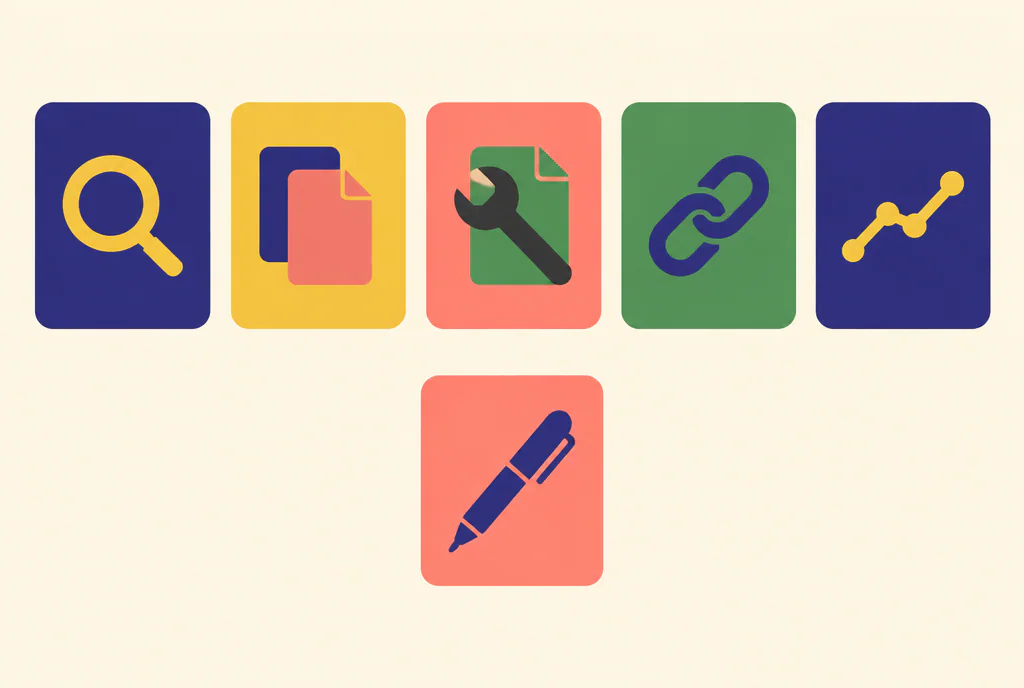
There are five main types: keyword research, competitor analysis, site audits, backlink analysis and rank tracking. Content tools sit alongside them and help you write or publish pages.
| Tool type | Best for | Example tools | Free or paid |
|---|---|---|---|
| Free monitoring | Seeing clicks, impressions and indexing | Google Search Console | Free |
| All-in-one suite | Research, tracking and audits in one place | Semrush | Paid |
| Backlinks and competitors | Seeing who links to you and your rivals | Ahrefs | Free tools and paid plans |
| Technical audit | Finding broken links and crawl problems | Screaming Frog | Free and paid versions |
| On-page content | Improving a page against what ranks | Surfer | Paid |
| Automated publishing | Writing and posting articles regularly | Rank Otter | Paid, first article free |
What are AI visibility trackers?
These are the newer arrivals. They check whether your brand or pages are mentioned in answers from AI assistants and AI search, rather than only in the standard Google results. They are a big reason the tool count has grown so fast in 2026.
Prices change often, so check each vendor’s own site before you decide. Most list prices in dollars, which is worth remembering if you budget in pounds.
Is there a free SEO tool?
Yes. The free and best starting point is Google Search Console, and several other free tools cover specific jobs.
Search Console shows your clicks, impressions, average position and which pages Google has indexed. It uses your own site’s data, which makes it more useful than any estimate.
Beyond that, Ahrefs offers a keyword generator and backlink checker for free, and Moz has free options too. PageSpeed Insights tests how fast your pages load, and Google Trends shows how interest in a topic moves over time.
To be honest about the limits, free tools tend to cover one job each and cap the data they show. They are a good way to learn, but they will not write or publish anything for you.
What are the best SEO tools for a small business or agency?
There is no single winner, so choose by job. Start with Search Console, add one all-in-one suite if you need research, then add a content tool if time is your bottleneck.
Most small teams do not lack data. They lack the time to write consistently. Agencies have a different problem: they need capacity across several sites and clear reporting for clients.
A simple choose-by-job checklist
- Want to see how your site performs in Google? Use Search Console.
- Need keyword and competitor research? Pick one suite, such as Semrush or Ahrefs.
- Worried about technical faults? Run a crawler such as Screaming Frog.
- Polishing a single page? Try an on-page tool such as Surfer.
- Short on time to write and post? Look at an automated publishing tool.
Can an SEO tool write and publish content for you?
Yes. Some tools research, write and publish articles straight to your site, which suits agencies and busy owners. We built one of them, Rank Otter.
How Rank Otter works
You enter your website and we analyse it free in about 30 seconds. Your first article is written free, with no card. You then approve a 30-day plan, and articles are researched, written and published on your schedule.
Every article is researched from the pages already ranking on Google before a word is written. You choose your control level, from approving every article to full autopilot. Results come from your own Google Search Console. They’re not our estimates.
What does it cost?
Plans are priced in articles a month, not credits or words. See the pricing page for full details.
- Growth: £99 + VAT a month for 30 articles and 1 website
- Pro: £199 + VAT a month for 75 articles and 3 websites
- Agency: £449 + VAT a month for 200 articles and 10 client websites
There is a 30-day money-back guarantee on your first payment, and you can cancel online in two clicks.
PS Website Design Ltd, a UK web and app development agency that has built and looked after websites for UK businesses since 2009, builds Rank Otter. We use it on our own clients’ websites.
How do you get results from an SEO tool?
Publish regularly on the questions your customers really ask, and give it three to six months before judging. SEO builds slowly, so steady output beats one perfect post.
- Use real photos and real job stories. They beat stock content every time.
- Check your robots.txt file is not blocking AI search tools.
- Never publish near-identical pages for different towns. Google treats them as spam.
- Track progress in Search Console, where you can see clicks and impressions grow.
If you would like to see how this works on your own site, get in touch with Rank Otter and we will start with a free analysis and a free first article.
Frequently asked questions
What are the top 5 SEO tools?
It depends on the job. A common five is Google Search Console, Semrush, Ahrefs, Screaming Frog and Surfer. Add an automated publishing tool like Rank Otter if writing time is your problem.
Do I need an SEO tool for a small website?
You do not need a paid one to begin. Search Console is free and enough to see how you perform. Add more only when a clear job, such as research or regular writing, needs doing.
How much do SEO tools cost in the UK?
It varies widely, and many vendors list prices in dollars, so check each site. Free options exist. Our own plans run from £49 + VAT a month for 12 articles and 1 website.
Are AI SEO tools safe for Google rankings?
Quality is what matters. We research each article from pages already ranking, and you can approve every one. Avoid near-identical pages for different towns, which Google treats as spam.
What is the difference between Semrush and Ahrefs?
Semrush is an all-in-one suite for research, tracking and audits. Ahrefs is well known for backlink and competitor data. Both are paid. Compare current plans on their own sites.
How long does it take for an SEO tool to improve rankings?
SEO usually takes time to build. A tool speeds up the work, but Google still needs time, so regular publishing matters more than one perfect post.
Can I use more than one SEO tool?
Yes, and most teams do. A typical mix is Search Console for monitoring, one suite for research and a content tool for writing and publishing.