SEO tools to save agency time: what to use in 2026
Which SEO tools save an agency the most time? A task-by-task guide to audits, reporting, rank tracking and content, with UK prices and honest limits.


The best SEO tools to save agency time automate repetitive work: crawlers for audits, white-label dashboards for reporting, scheduled rank tracking and content automation that researches, writes and publishes. Pick one tool per task rather than a bigger stack, and measure the hours each one frees up across your client sites.
At a glance
- Screaming Frog SEO Spider crawls up to 500 URLs free and its paid licence is £199 a year.
- Google’s SEO Starter Guide covers how long it takes to see an impact in search results. It is a free first-party reference.
- Google Search Console is the free first-party source for queries, impressions, clicks and average position.
- Rank Otter’s Agency plan is £449 + VAT a month for 200 articles and 10 client websites.
- Rank Otter’s first article is free with no card needed, and there is a 30-day money-back guarantee on the first payment.
- SEO usually takes three to six months to build, so regular publishing matters more than one perfect post.
What are the best SEO tools to save agency time?
The biggest savings come from automating audits, reporting, rank tracking and content production, not from adding more software. Each task has a tool type that suits it, and most agencies need only one good option per row.
Most shortlists ranking at the moment are generic lists of fifteen or twenty products. They rarely tell you which job each tool does or how many hours it might free up. So we have organised this guide by task. That’s how an agency actually works through a week.
| Task | Tool type | Example tools | Where the time is saved |
|---|---|---|---|
| Technical audits | Site crawler | Screaming Frog | Scheduled crawls and crawl comparison replace manual page checks |
| Keyword research | All-in-one platform | Semrush, Ahrefs, SE Ranking | One place for volumes, gaps and competitor terms |
| Rank tracking | Scheduled tracker | SE Ranking, Semrush, Ahrefs | No manual searches, with changes flagged for you |
| Reporting | Dashboard or white-label reporting | Looker Studio, AgencyAnalytics | Reports build themselves from connected data |
| Performance data | First-party data | Google Search Console | Real queries and clicks, with no estimates to explain |
| Content and publishing | Content automation | Rank Otter | Research, writing and publishing handled in one flow |
This is advice for 2026. Vendors change their plans often, so check prices on each vendor’s own site before you commit.
Where do SEO agencies lose the most time?
The hours go on repeat work: manual audits, building monthly reports, checking rankings and producing content for many clients. None of it is hard. Yet it gets done again and again, for every site on your books.
Map each time sink to a tool type
- Manual audits point to a crawler.
- Monthly report building points to a dashboard connected to Search Console.
- Checking rankings by hand points to a scheduled rank tracker.
- Writing and uploading posts for many clients points to content automation.
Log your hours first
Before you buy anything, ask your team to log hours per task for a month. A simple spreadsheet is enough. You may find reporting costs you far less than you assumed and publishing costs far more. Spend where the log says the time goes.
Count the cost of switching
Too many tools create their own drag. Logins, exports, different layouts and overlapping features all take minutes that never show up on an invoice. A smaller stack that your whole team knows well will usually beat a bigger one that nobody fully uses.
Which tools speed up audits, rank tracking and reporting?
A crawler, a rank tracker with scheduled checks and a white-label reporting tool cover most of the repeat work. The crawler finds technical faults, the tracker watches movement, and the reporting tool turns the data into something a client can read.
Crawlers for audits
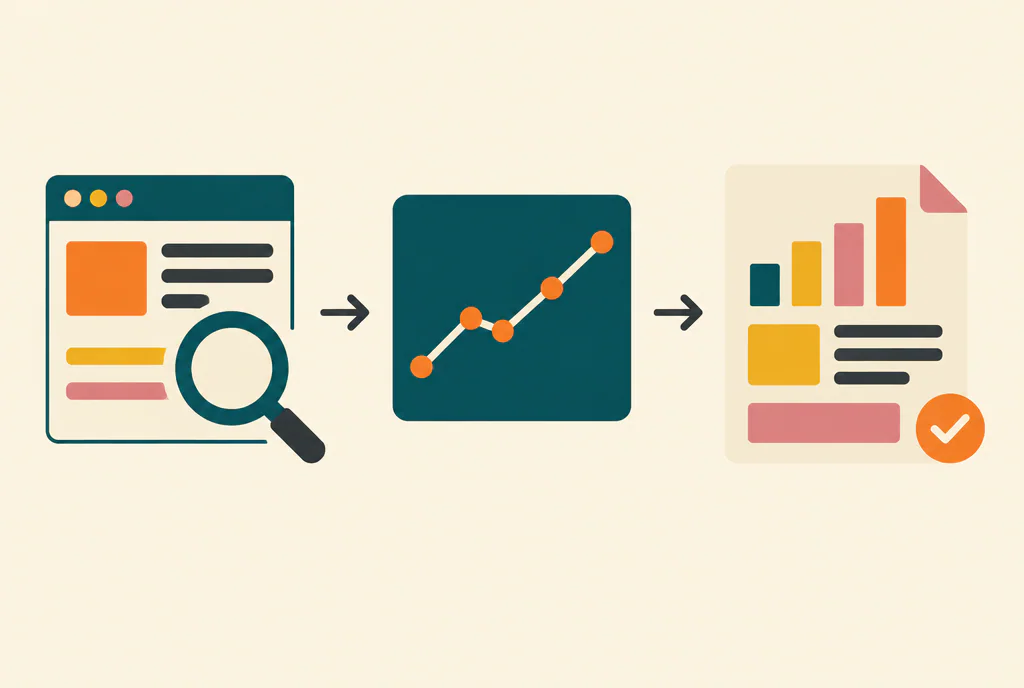
Screaming Frog SEO Spider crawls up to 500 URLs free, which suits many small client sites. The paid licence is £199 a year, checked for 2026 on the vendor’s page. Scheduled crawls and crawl comparison are supported. You can see what changed since last month instead of re-reading the whole site.
All-in-one platforms or single-purpose tools
Platforms such as SE Ranking, Semrush and Ahrefs bundle keyword research, rank tracking and site audits. That suits an agency that wants one login and one bill. Single-purpose tools can go deeper on one job, but you pay for it in extra accounts. Choose by the task your hour log shows. Don’t choose by feature count.
Reporting
Looker Studio and white-label dashboards such as AgencyAnalytics can pull from Google Search Console and refresh on their own. Build a template once, then copy it for each client. That turns a half-day of copying numbers into a quick review.
Our advice on data
Use results from the client’s own Search Console, not tool estimates, in your reports. Third-party figures are modelled guesses and clients will ask why they differ from what they see. Search Console shows real queries, impressions, clicks and average position, so there is nothing to defend. Rank Otter reports results this way too.
Can ChatGPT do an SEO audit for an agency?
Yes for on-page checks, content gaps and a review of robots.txt or schema, but no for a full site crawl. It needs a crawler’s data to work from, and a person to check what it says. Iriscale’s guide splits the job the same way.
What it can do
- Review a single page’s title, headings and copy against a keyword.
- Spot gaps in content compared with a list of topics.
- Read a pasted robots.txt file or schema markup and flag oddities.
- Summarise long exports into plain English for a client.
What needs extra tools
It cannot crawl a site, measure speed or see Search Console on its own. Feed it that data from the tools built for it.
Watch for made-up findings
AI can state things with confidence that are simply wrong. Check every claim against crawl and Search Console data before it goes near a client.
A workflow that works
- Run a crawl and export the results.
- Pull the relevant Search Console data.
- Gather PageSpeed data for key pages.
- Give ChatGPT those files to summarise, then review the summary yourself.
Check AI search access
We tell customers to check that robots.txt is not blocking AI search tools. It takes a minute, and a stray rule can keep a client’s site out of AI answers without anyone noticing.
How can SEO content automation save an agency time?
Content is usually the largest time cost. Automation can research from what already ranks, write the article and publish it straight to the client’s site, with approval steps if you want them.
How Rank Otter works
Enter a client’s website and we analyse it free in about 30 seconds. The first article is written free, with no card needed. You then approve a 30-day plan, and articles are researched, written and published on your schedule. Every article is researched from the pages already ranking on Google before a word is written. You can see more on our features page.
Choose your level of control
You decide how hands-on to be, from approving every article to full autopilot. A new client might start with approval on each post. Once you trust the output, let it publish automatically.
Pricing in articles, not credits
Plans are priced in articles a month, not credits or words. Prices are as we state them for 2026.
| Plan | Price | Articles a month | Websites |
|---|---|---|---|
| Growth | £99 + VAT a month | 30 | 1 |
| Pro | £199 + VAT a month | 75 | 3 |
| Agency | £449 + VAT a month | 200 | 10 client websites |
Full details are on our pricing page.
Who is behind it
Rank Otter is built by PS Website Design Ltd, a UK web and app development agency that has built and looked after websites for UK businesses since 2009. We use it on our own clients’ websites, so the product is shaped by agency work, not guesswork.
Guardrails and limits
- Never publish near-identical pages for different towns. Google treats them as spam.
- Write about the questions customers actually ask.
- Real photos and real job stories beat stock content every time, so add your own where you can.
Automation handles the repeat work. It does not replace your knowledge of a client’s business, and some clients will always need a human touch on key pages.
How do you choose SEO tools for your agency without wasting money?
Use a short test. Does the tool remove a task you log hours on, fit your client count, and keep costs predictable per client? If any answer is no, wait.
A simple checklist
- Time saved per task, based on your own hour log.
- Number of client sites the plan covers.
- White-label needs for reports.
- UK data and prices in £, with VAT shown.
- Cancel terms and guarantees.
Trial with one client first
Use free tiers and the free article before paying for anything. Pick one client, run the tool for a month and compare the hours against your log.
Set realistic expectations
SEO takes three to six months to build, and Google’s SEO Starter Guide discusses how long it takes to see an impact. That is why regular publishing matters more than one perfect post. Judge tools on hours saved first and rankings later.
Compare the exit terms
With Rank Otter there is a 30-day money-back guarantee on your first payment, and you can cancel online in two clicks. Look for the same clarity from any vendor.
If you would like to see how much publishing time it could free up, enter a client’s website and we will write the first article free. Get in touch with Rank Otter and our team will help you set it up.
Frequently asked questions
What free SEO tools can save an agency time?
Google Search Console gives you real query and click data at no cost. You can crawl up to 500 URLs free with Screaming Frog, and Looker Studio can build reports from your connected data.
How many SEO tools does an agency really need?
Usually one per task: a crawler, a rank tracker, a reporting tool and a content tool. An all-in-one platform can cover several rows. More than that tends to add switching time.
Is it worth automating SEO content for client websites?
Often yes, because content is typically the biggest time cost. Start with approval on every article, check the quality on one client and loosen control once you are happy.
Will Google penalise automated SEO content?
We cannot promise how Google will treat any page. What we do advise is avoiding near-identical pages for different towns, writing about real customer questions and adding real photos and job stories.
How do you report SEO results to clients faster?
Build a template in Looker Studio or a white-label dashboard connected to the client’s Search Console. Copy it per client and spend your time on comments, not copying numbers.
How long does SEO take to show results for clients?
SEO usually takes three to six months to build. Regular publishing matters more than one perfect post, so tell clients to expect gradual movement.
Can one tool manage SEO for several client websites?
Yes. Our Agency plan covers 10 client websites and 200 articles a month for £449 + VAT. Many all-in-one platforms also handle multiple sites, so check limits before you buy.