Shopify blog automation: how it works and what to choose
Shopify blog automation explained: what it does, what to check before choosing a tool, how to keep quality high and how to measure results in Search Console.


Shopify blog automation means using software to research, write and publish posts to your Shopify store’s blog on a schedule, without you drafting each one. The best setups base articles on what already ranks on Google and prove results in your own Search Console data. They also let you approve posts or run on autopilot.
At a glance
- Tools for automating a Shopify blog can generate SEO articles, add product links, create images and publish on a schedule, and several Shopify App Store listings offer a free plan.
- Shopify App Store SEO apps list USD monthly tiers such as $14.99 and $39.99 (StoreSEO) and $34.95 and $99 (Avada), so check current pricing and currency before comparing.
- SEO usually takes three to six months to build, so regular publishing matters more than one perfect post.
- Rank Otter plans are priced in articles a month. Growth is £99 + VAT for 30 articles and 1 website. Pro is £199 + VAT for 75 articles and 3 websites. Agency is £449 + VAT for 200 articles and 10 client websites.
- Rank Otter’s first article is free with no card needed, and there is a 30-day money-back guarantee on the first payment.
What is Shopify blog automation?
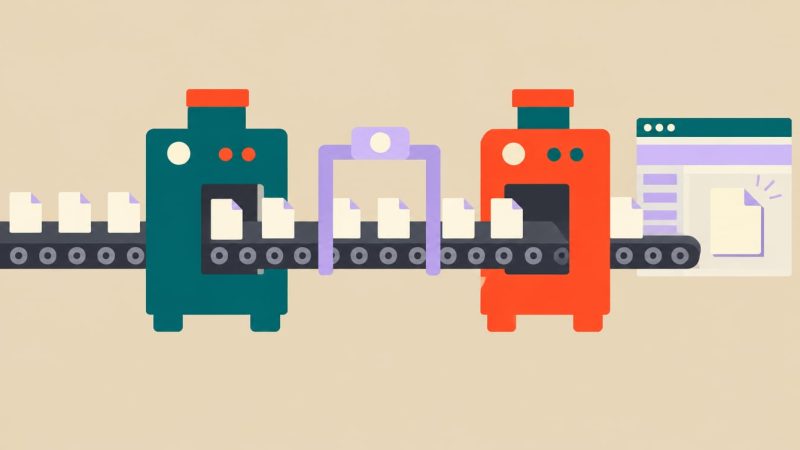
Shopify blog automation is software that researches topics, writes posts and publishes them to your store’s blog on a schedule. It saves the manual work of drafting and posting every article.
The steps it typically takes over are:
- Topic research
- Drafting the article
- Creating images
- Adding links to your products
- Scheduling
- Publishing to your blog
How is it different from Shopify’s own automations?
Shopify’s marketing automations deal with email and SMS, such as welcome messages or abandoned basket reminders. Blog automation is a separate job. It produces search content that brings new visitors to your store, rather than messaging people who already know you.
Who is it for?
It suits busy store owners who know they should blog but never find the time. It also suits agencies running many client sites, where drafting every post by hand soon becomes the bottleneck. Automation does not replace strategy, though. Someone still needs to decide what the store sells, who it sells to and whether the posts sound right.
How does Shopify blog automation work step by step?
You connect your store and the tool analyses your site and picks topics. Articles are then researched, written and published to the blog on your schedule. Good tools let you approve each post first.
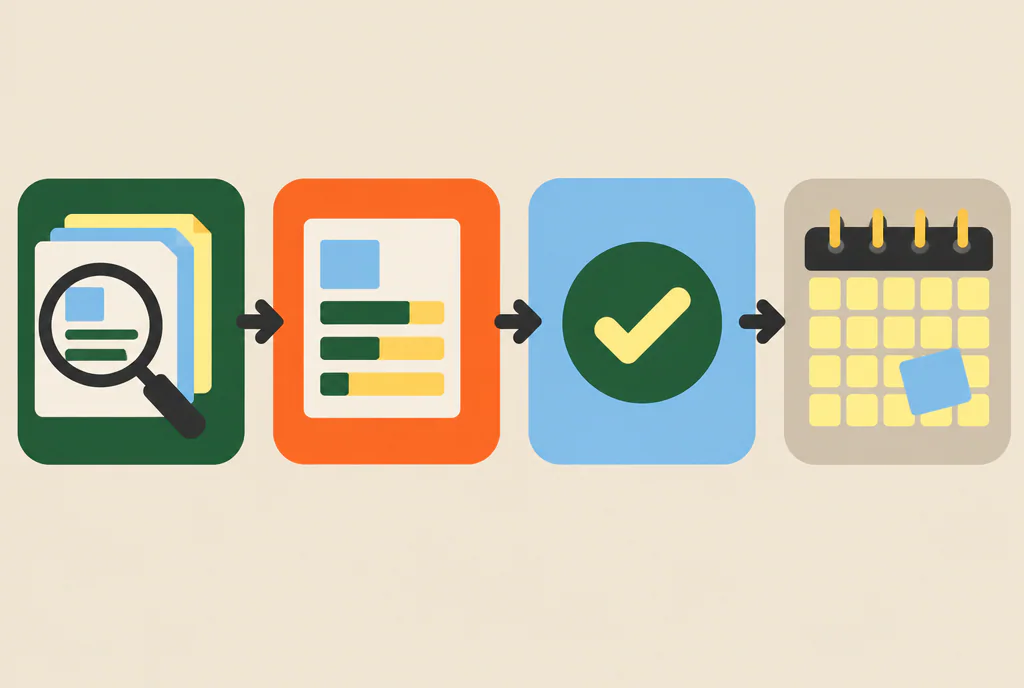
Here is how it works with Rank Otter:
- Enter your website and we analyse it free in about 30 seconds.
- Your first article is written free, with no card needed.
- You approve a 30-day plan of topics.
- Articles are researched, written and published on your schedule.
Research before writing
Every article is researched from the pages already ranking on Google before a word is written. That gives each post a grounded view of what searchers expect to find, rather than a guess.
Approval or autopilot?
You choose how much control you want. Approving every article suits stores with a strict brand voice, regulated products or a new blog you want to watch closely. Full autopilot suits a store whose owner trusts the topic plan and simply wants steady publishing. Many people start with approval and loosen it later.
Easy to leave
Check how hard it is to stop. With Rank Otter you cancel online in two clicks, and that sort of low-risk exit is worth looking for in any tool.
What should you look for in a Shopify blog automation tool?
Look for research based on what already ranks, control over approvals, clear pricing, proper reporting and a supplier you can contact. Ratings and free plans help, but they do not show whether posts bring traffic.
| Check | What good looks like |
|---|---|
| Research method | Articles based on pages already ranking on Google |
| Control level | Approve every post or run on autopilot |
| Pricing model | Clear monthly price, ideally in articles |
| Publishing method | Posts go straight to your blog on a schedule |
| Reporting | Results from your own Google Search Console |
| Support | A named supplier you can reach |
| Free trial | Try an article before paying |
What app store listings leave out
Listings in the Shopify App Store show ratings, reviews, USD pricing tiers and sometimes a Built for Shopify badge. Those are useful signals. They rarely give guidance on topic choice or evidence that the posts actually earned traffic.
Pricing and proof
Our plans are priced in articles a month, not credits or words, which makes budgeting simple. Results come from your own Google Search Console, not our estimates. We’re built and supported by PS Website Design Ltd, a UK web and app development agency that has built and looked after websites for UK businesses since 2009. You can read more on our features page.
How much does Shopify blog automation cost?
Costs range from free app plans to a few hundred pounds a month, depending on how many articles and sites you need. Check whether pricing is in articles, credits or words. Also check whether it is quoted in dollars or pounds, with or without VAT.
Example app tiers
SEO apps in the Shopify App Store list USD tiers, such as $14.99 and $39.99 for StoreSEO and $34.95 and $99 for Avada. These can change, so check the listing before you compare. Dollar prices also leave out UK VAT and exchange rates.
Rank Otter plans
| Plan | Price | Articles a month | Websites |
|---|---|---|---|
| Growth | £99 + VAT | 30 | 1 |
| Pro | £199 + VAT | 75 | 3 |
| Agency | £449 + VAT | 200 | 10 client websites |
Dividing the price by the article count is a fair way to compare. On our stated figures, Growth gives 30 articles for £99 + VAT, Pro gives 75 for £199 + VAT and Agency gives 200 for £449 + VAT, so the cost per article drops as the plan grows. Your first article is free with no card, and there is a 30-day money-back guarantee on your first payment. Full details are on our pricing page.
Will automated blog posts help your Shopify SEO?
They can, if posts answer real customer questions and are published consistently, but SEO typically takes three to six months to build. Thin, repetitive or near-identical posts can harm you.
- Answer real questions. Write about what your customers actually ask you, such as sizing, care, delivery or how to choose between products.
- Publish regularly. Steady output matters more than one perfect post.
- Avoid near-identical pages. Never publish copies for different towns with only the place name swapped. Google treats them as spam.
- Use real images and stories. Real photos and real product or job stories beat stock content every time.
- Let AI search in. Check your robots.txt isn’t blocking AI search tools, or assistants may never see your posts.
- Track the numbers. Watch impressions, clicks and rankings in Google Search Console.
Can agencies use Shopify blog automation for client stores?
Yes, and it is where automation saves the most time, provided each client keeps its own voice, topics and approval settings.
Our Agency plan covers 200 articles a month across 10 client websites. Mix the controls as you like: a cautious client might approve every article while another runs on autopilot. PS Website Design Ltd uses RankOtter on its own clients’ websites. Pull Search Console data into client reports so the results are theirs to see, not a promise. Smaller shops can also look at our small business solution.
If you would like to see how it works on your own store, contact Rank Otter and we will analyse your site and write your first article free.
Frequently asked questions
Does Shopify have built-in blog automation?
Shopify has a built-in blog and its own marketing automations for email and SMS. Automatic research, writing and scheduled blog publishing usually comes from a separate tool.
Is AI-written content bad for Shopify SEO?
Not by itself. Thin, repetitive or near-identical posts are the problem. Posts that answer real customer questions and are checked before publishing can work well.
How often should a Shopify store publish blog posts?
Often enough that you can keep going. Regular publishing matters more than one perfect post, so pick a schedule you can sustain for several months.
Can I approve posts before they go live?
With Rank Otter, yes. Approve each article or let them publish automatically.
How long before automated blog posts bring traffic?
SEO usually takes three to six months to build, so give a steady schedule that long before judging it.
Do I need a Shopify app to automate my blog?
Not always. Some tools publish to your site directly. We post automatically to sites, so check how each tool connects to your store.
How do I measure whether blog automation is working?
Use your own Google Search Console. Watch impressions, clicks and rankings for your blog pages over several months.
Can one tool run blogs for several client stores?
Yes. Our Agency plan covers 10 client websites and 200 articles a month, with approval settings you can vary per client.