SEO for ecommerce product pages: a practical UK guide
How to do SEO for ecommerce product pages: titles, descriptions, schema, images, reviews and common mistakes, with a UK checklist and examples.

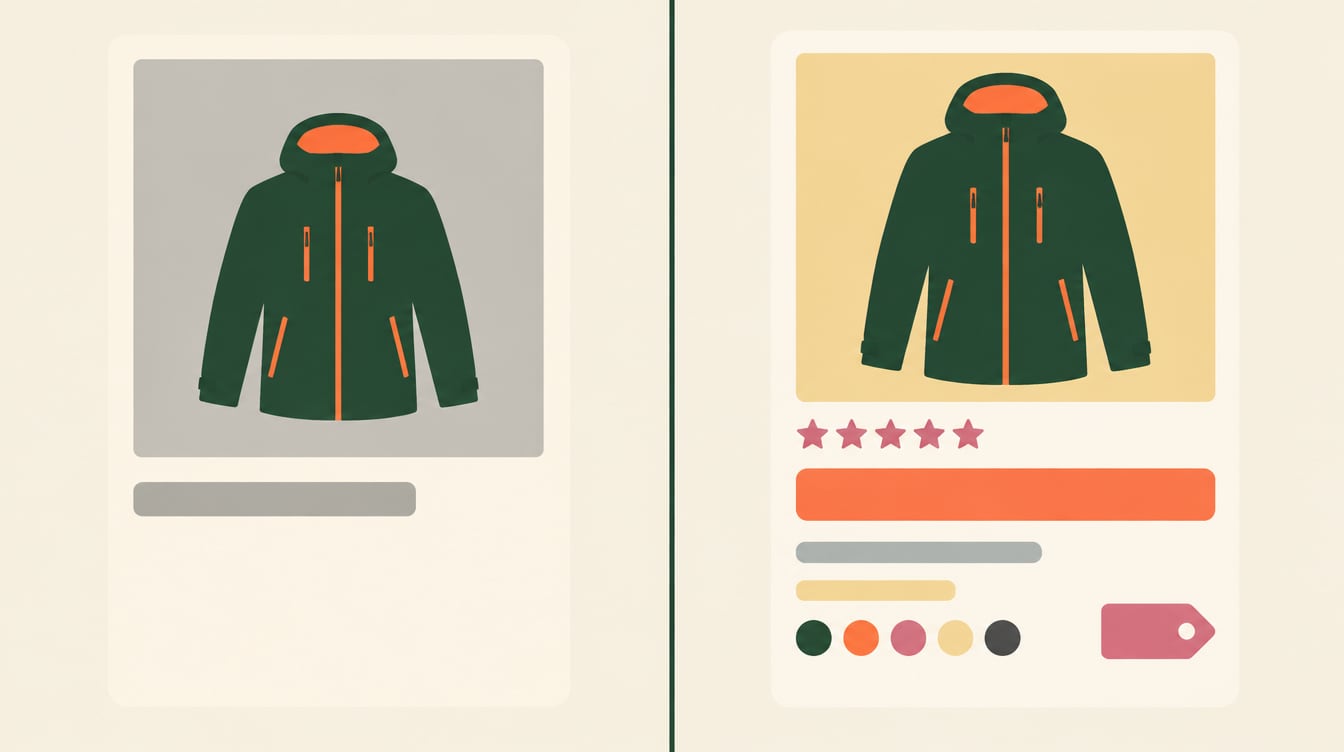
SEO for ecommerce product pages means giving every product page a unique title and H1, original descriptions, Product structured data, optimised images with alt text, reviews and internal links from category pages. Do this consistently across your catalogue so Google and AI search can understand, trust and show each product.
At a glance
- Shopify’s guide lists 11 ways to optimise product pages, including title tags, descriptions, images with alt text, internal linking, page speed, product schema, reviews and Merchant Center.
- Common mistakes to avoid include obsessing over URLs, adding too many apps and plug-ins, leaving discontinued products listed and keyword stuffing.
- Google publishes official ecommerce SEO guidance and Product structured data documentation in Search Central.
- SEO usually takes three to six months to build, so steady publishing and improvement matters more than one perfect page.
- Near-identical pages for different towns or variants are treated by Google as spam, so each page needs something genuinely unique.
What is SEO for ecommerce product pages?
It is the work of optimising each product page so it ranks for buying searches and turns visitors into customers. It covers the words on the page, the technical markup behind it and the trust signals that make someone happy to pay.
Below is a numbered checklist you can work through, with UK examples. We have written it for 2026, so it also covers AI search, which many older guides skip.
Why product pages differ from blog posts and category pages
A blog post teaches. A category page helps people browse. A product page has one job: help someone decide to buy a specific item. That means it needs facts a blog post never would, such as price, stock, sizing, delivery and returns.
Search intent is commercial
People landing on a product page are close to buying. They want to know the price in pounds, whether it is in stock, how soon it arrives, what returns look like and what other buyers think. If your page answers those questions clearly, you serve the searcher and the search engine at once.
AI search and Google Shopping read the same information
Google Shopping, Google’s standard results and AI assistants all pull from the same kind of clear, structured detail: name, price, availability, reviews and a plain description. A page that is easy for a person to scan is usually easy for a machine to read too.
How do you write a unique title tag and H1 for every product?
Put the main keyword near the start, then add brand, model and one key attribute, and keep the result unique to that product. Never reuse the same title across colours or sizes without a real difference.
Checklist step 1: a worked UK example
Take a waterproof hiking jacket. A weak title would be “Jacket | Shop”. A stronger one looks like this:
- Title tag: Waterproof Hiking Jacket for Women | Trailworn Fell Shell | Green
- H1: Trailworn Fell Shell Waterproof Hiking Jacket (Women’s, Green)
The brand and product here are made up for illustration. Swap in your own details and keep each title to a length that will not be cut off in results, which is usually around 60 characters.
Checklist step 2: a meta description that earns the click
A meta description will not directly lift rankings, but it can lift clicks. Mention what a UK shopper cares about: the price including VAT and the delivery and returns terms. For example: “Lightweight waterproof hiking jacket, £129.00 inc. VAT. Free UK delivery on orders over £50 and 30-day returns.” Only write offers that are true for your shop.
Avoid stuffing and duplicates
Repeating the keyword three times in a title reads badly and can hurt you. If two variants share a title, add the detail that sets them apart, such as size range or fit. The same guide warns against obsessing over URLs. A short, tidy URL is nice, but content matters far more.
How do you write product descriptions that rank and sell?
Write them yourself, for the buyer, and cover use, size, materials, and who the product suits. Never paste in the supplier’s text, because every other seller has the same words.
Checklist step 3: answer real customer questions
Start with the questions your customers actually ask by email or phone. Does it run small? Can it go in the washing machine? Will it fit a standard UK socket? Answer these on the page and you cover long, specific searches that bigger sites ignore.
Use real photos and real stories
Our advice to customers is that real photos and real job stories beat stock content every time. For a shop, that means your own pictures of the product in use and short notes from genuine buyers or your own testing. They make a page feel trustworthy, and nobody else has them.
Handle many similar products without near-identical text
This is where large catalogues go wrong. Never publish near-identical pages for different towns or variants, because Google treats that as spam. Here is a simple way to keep hundreds of pages consistent without copying yourself.
- Use one template with fixed headings: overview, who it is for, key specs, sizing, care, delivery and returns.
- Fill each section with details that are true of that product only, such as dimensions, materials and use cases.
- Where variants differ only by colour, keep one page with variant options and a canonical tag rather than several thin pages.
- Add something unique to each page, such as a buyer question, a photo or a comparison with a similar item.
Before and after
| Weak | Better |
|---|---|
| “Great jacket. High quality. Buy now.” | “A three-layer waterproof shell for wet British hillsides. Taped seams, an adjustable hood that fits over a helmet and a fit that leaves room for a fleece.” |
Add specs, sizing and care
Use a short specification list, a size guide in centimetres and plain care instructions. These details help shoppers, cut returns and give search engines more to match against. A product FAQ at the bottom of the page works well too. Aim for three to five real questions.
How do images, video and page speed affect product page SEO?
Fast, clear and well-described images help your rankings, bring in image search traffic and lift conversions. Most of the gains come from a few practical steps.
Checklist step 4: file names and alt text
Name files in plain words, such as green-waterproof-hiking-jacket-front.jpg, not IMG_4821.jpg. Write alt text that describes what the image shows, for example “Woman wearing a green waterproof hiking jacket on a hillside”. Describe, do not stuff.
Compress and lazy load
Use compressed modern formats such as WebP or AVIF where your platform allows. Load images below the fold lazily, but not the main product image, which should appear straight away.
Watch for plugin and app bloat
Every extra app can add code that slows mobile pages. Shopify’s guide lists too many apps and plug-ins as a common mistake. Review what you have installed. Remove anything you do not use.
Original photography and short video
Your own photos from several angles, plus a short demo video, show the product honestly. They also give you assets that competitors using supplier images simply cannot match.
How do you add Product schema, reviews and Merchant Center data?
Product structured data tells Google and AI tools the price in GBP, availability, reviews and identifiers in a form they can read. It must match what shoppers can see on the page.

Checklist step 5: the fields to include
- Name and image
- Price and currency (GBP)
- Availability, such as in stock or out of stock
- Brand
- GTIN or other product identifier where you have one
- Rating and review count, if you have genuine reviews
Google explains the details in its ecommerce guidance. Show prices including VAT on the page if you sell to consumers, and make sure the markup says the same thing.
Show UK delivery and returns
Say clearly what delivery costs, how long it takes and how returns work. Shoppers look for this before buying, and it can also be included in your markup and Merchant Center settings.
Collect genuine reviews only
Ask real customers for reviews after purchase. Never write or buy fake ones. Genuine reviews, including the odd critical one, build trust and add fresh, unique text to the page.
Connect Google Merchant Center
Set up Google Merchant Center for the UK so your products can appear in free listings and Shopping results. Keep the feed in step with your site, as mismatched prices or stock cause disapprovals.
Test your markup
Run a few product URLs through Google’s Rich Results Test and fix any errors or warnings before rolling the template out across the catalogue.
How should you link and structure product pages?
Link every product from a relevant category and from related products, with breadcrumbs and descriptive anchor text. That lets crawlers and shoppers find each page easily.
Checklist step 6: category links and buying guides
Each category page should link to its products using clear names, not “click here”. Write buying guides for your main categories, for instance “how to choose a waterproof jacket”, and link from them to the products they mention. This builds topical strength and helps shoppers decide.
Variants and canonical tags
If a product comes in several sizes or colours, decide whether they share one page or have separate ones. Where pages are near-identical, point them to the main version with a canonical tag.
Out of stock and discontinued products
For items that will return, keep the page live, mark it out of stock and offer alternatives or an email alert. For items gone for good, redirect to the closest matching product or category. If the page still earns traffic and has useful content, you can keep it with clear links to replacements. Leaving old listings untouched is another mistake Shopify flags.
Check robots.txt
We tell customers to check that their robots.txt file is not blocking AI search tools. Many sites block crawlers by accident, which makes products invisible to the assistants shoppers now use. Review the file. Make sure normal search crawlers are allowed in too.
What are the most common product page SEO mistakes?
The main ones are duplicate or supplier copy, thin pages, keyword stuffing, slow pages, stale discontinued listings and near-identical pages. Each has a straightforward fix.
Checklist step 7: mistakes and fixes
| Mistake | Fix |
|---|---|
| Supplier copy | Rewrite in your own words with real use details |
| Thin pages | Add specs, sizing, care and a product FAQ |
| Keyword stuffing | Use the keyword naturally once or twice |
| Slow pages | Compress images and remove unused apps |
| Stale discontinued listings | Redirect or keep with alternatives |
| Near-identical pages | Merge variants or add genuinely unique content |
Why steady publishing beats one perfect page
SEO takes three to six months to build. A single polished page will not carry a shop on its own, so regular improvement across products, categories and guides matters more. Pick a pace you can keep up, and stick to it.
Track results in Google Search Console
Measure progress from your own Google Search Console data, not estimates. Watch impressions, clicks and the queries each product page appears for. Give changes a few months before judging them. Then double down on what works.
Keeping hundreds of product pages fresh is where most shops struggle. Rank Otter researches the pages already ranking on Google, then writes and publishes articles for your site, with you choosing between approving each one or full autopilot. See what it does or our pricing, and your first article is free with no card needed. Rank Otter is built by PS Website Design Ltd, a UK agency with experience building and looking after websites. Get in touch with our team if you would like to talk it through.
Frequently asked questions
What is the best SEO strategy for an ecommerce website?
Get product pages right first with unique titles, descriptions, images and structured data. Then support them with clear category pages, buying guides and steady publishing, and measure progress in Google Search Console.
How long does ecommerce SEO take to work?
SEO usually takes three to six months to build. Some changes show sooner, but regular work over several months matters more than any single fix.
Should product pages have a unique description if the products are similar?
Yes. Near-identical pages can be treated as spam. Describe what really differs, such as size, material or use, or combine true variants into one page.
Do I need Product schema on every product page?
It is strongly recommended. Product structured data helps Google and AI tools read price, availability and reviews. Make sure it matches what shoppers see on the page.
What should I do with out of stock products?
If the item is coming back, keep the page and mark it out of stock with alternatives. If it is gone for good, redirect to the closest product or category.
How long should a product description be?
Long enough to answer the buyer’s questions and no longer. A few short paragraphs plus specs, sizing and care details is a sensible aim for most products.
Does Google Merchant Center help organic rankings?
It does not directly lift standard rankings, but it makes your products eligible for free listings and Shopping results, which brings extra visibility.
Is SEO still worth it in 2026 with AI search?
Yes. AI tools draw on the same clear, trustworthy, well-structured pages that search engines favour, so good product page SEO helps you in both places.