Why is my website traffic low? Causes and fixes
Why is my website traffic low? Check indexing, content, technical faults, backlinks and AI search changes, then follow a simple Search Console diagnosis.

Your website traffic is low usually because Google isn’t indexing or ranking your pages, or because your content doesn’t answer what people search for. Technical faults and weak links can hold you back too. Check Google Search Console first to see which of these applies before changing anything.
Low website traffic is a shortfall in visitors reaching your site. It’s usually caused by poor indexing, weak content, technical faults or limited visibility in Google and AI search, and it can be diagnosed with Search Console data.
At a glance
- Google’s own guidance lists the main causes of organic traffic drops as algorithm updates, technical issues, security issues, spam issues, seasonality and site moves, according to Google’s guide to debugging traffic drops.
- Google suggests changing the Search Console date range to 16 months and comparing the drop period with a similar period to spot patterns.
- Think with Google UK (June 2026) says good GEO, AEO and LLM SEO is good SEO, and to prioritise your unique perspective over generic content.
- Google announced Search Console reports for AI Overviews and AI Mode performance in June 2026.
- SEO usually takes three to six months to build, so regular publishing matters more than one perfect post.
Why is my website traffic low?
Low website traffic is almost always down to a handful of causes: pages that aren’t indexed, weak or mismatched content, technical faults, few links or a recent drop. Search Console shows which one applies to your site.
Last updated: November 2026.
Here are the usual suspects, each with the symptom you will see and the fix:
- Pages not indexed. Symptom: pages never appear in Google, even when you search for the exact title. Fix: remove blockers such as noindex tags and request indexing.
- Content that misses what people search for. Symptom: pages are indexed but get few impressions or sit deep in the results. Fix: rewrite or add pages around real customer questions.
- Technical faults. Symptom: slow pages, errors or a poor mobile experience. Fix: test and repair the specific fault.
- Few links. Symptom: competitors with similar content outrank you. Fix: earn mentions from relevant local and industry sites.
- A recent drop. Symptom: a clear fall on a particular date. Fix: match the date to a site change, an algorithm update or a security issue.
A site that never had traffic or one that lost it
These are different problems. A site that never had traffic usually has an indexing or content gap, because Google has little reason to show it yet. A site whose traffic fell has a change to find, such as a redesign, a migration, a penalty or an update. Work out which you have before you do anything else.
Don’t change things at random
Rewriting every page, switching themes or buying links before you know the cause can bury the real problem and make the data harder to read. Diagnose first. Change one thing at a time and note the date of each change.
How do I check where my traffic is being lost?
Start in Google Search Console. Check clicks, impressions and position, then see whether pages are indexed and whether the problem affects the whole site or particular pages.
- Confirm the property matches your site. The property URL must match your live address, including https and whether it uses www. A mismatch shows little or no data.
- Check indexing. Open the Pages report and look at how many pages are indexed and the reasons others are not.
- Compare date ranges. Google suggests setting the range to 16 months and comparing the drop period with a similar period, which helps you spot patterns.
- See which pages and queries fell. Sort by the change in clicks and note the biggest losers.
- Look for patterns. Is it one folder, one type of page, mobile only or the whole site? A sitewide fall points to technical or site-level causes. A fall on a few pages points to content or competition.
Seasonal dips versus real losses
Many businesses have quieter months. Compare against the same weeks last year before you panic. If searches for your topic fall every winter or summer, a dip in line with that is not a fault. Google’s list of causes includes seasonality for this reason, and its Search Console Help page on traffic drops walks through the same checks.
Check your analytics tracking too
If your analytics tool shows a cliff but Search Console doesn’t, your tracking code may be broken, perhaps after a theme change or a new cookie banner. Compare the two sources before you assume visitors have gone.
The AI performance reports
In June 2026 Google announced Search Console reports for AI Overviews and AI Mode performance. Check them to see whether your pages appear in those AI answers, as this adds a view that standard web results don’t give you.
Is Google not indexing or crawling my website?
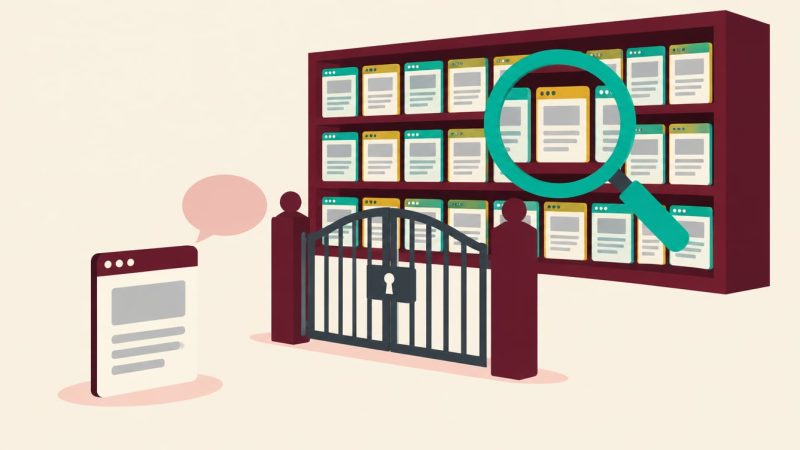
If pages aren’t indexed they can’t bring traffic, so check the Pages report for crawl or index errors, manual actions and noindex tags before anything else.
Common blockers
- Noindex tags. A small piece of code telling Google to leave a page out. It is often left on after a site is built or redesigned.
- robots.txt rules. This file tells crawlers which parts of your site they may visit. One stray line can block a whole section.
- A new site. Google may not have crawled it yet, particularly if nothing links to it.
- Site moves or migrations. Changing domain or URL structure without proper redirects can wipe out visibility.
Check that your robots.txt isn’t blocking AI search tools either. If assistants can’t read your pages, they can’t quote you.
Security and spam issues
Hacked pages, injected spam links and breaches of Google’s spam policies can remove pages from results. Look at the Security issues and Manual actions reports in Search Console. Both appear in Google’s list of common causes of traffic drops.
Requesting indexing and submitting a sitemap
Paste a page’s address into the URL Inspection tool at the top of Search Console, then choose to request indexing once any problems are fixed. A sitemap is a file listing your pages for Google to find. Submit yours under Sitemaps so new pages are discovered sooner.
Does my content answer what people actually search for?
Weak or generic content is the most common long-term cause of low traffic: pages that don’t match the questions your customers ask won’t rank, however good the site looks.
Write about the questions customers genuinely ask you. Think of the queries that land in your inbox or come up on the phone, and give each a clear, direct answer in its own page. Before writing, look at the pages already ranking for that question and see what they cover and what they miss.
Use real experience
Real photos and real job stories beat stock content every time. A photo of your own work and a short account of what you did says more to readers, and to search engines, than a generic image and filler text.
Avoid near-identical town pages
Never publish near-identical pages for different towns with only the place name swapped. Google treats them as spam. They can drag down the rest of your site. If you serve several areas, write something genuinely different for each, such as local examples or jobs.
Publish steadily
SEO takes three to six months to build, so publishing regularly matters more than one perfect post. A single page rarely moves the needle. A steady run of useful pages does.
This is how Rank Otter works. Every article is researched from the pages already ranking on Google before a word is written. You choose how much control you want, from approving every article to full autopilot. For sites in trades, our trades and local services page shows how this applies to local businesses.
Are technical problems, slow pages or weak links holding my site back?
Slow loading, a poor mobile experience, broken internal linking and a thin backlink profile each reduce visibility, and all can be checked and fixed without a redesign.
| Cause | Symptom you will see | How to check | Fix |
|---|---|---|---|
| Page speed | Pages feel slow, visitors leave quickly | Run key pages through PageSpeed Insights; check the Core Web Vitals report in Search Console | Compress images, remove unused plugins, improve hosting |
| Mobile usability | Text too small, buttons hard to tap | View your site on a phone; check Search Console for mobile issues | Use a responsive layout and larger tap targets |
| Internal linking | Useful pages sit several clicks deep or have no links to them | Crawl the site and look for pages with few or no internal links | Link related pages together with clear wording |
| Broken pages and errors | 404 errors, redirect loops, server errors | Check the Pages report and crawl errors | Redirect or restore pages; fix server faults |
| Few quality backlinks | Rivals with similar content outrank you | See the Links report in Search Console | Earn mentions from relevant trade bodies, suppliers and local press |
| Local listings (UK) | Missing from local results and maps | Search your business name and service plus your town | Claim and complete your Google Business Profile; keep name, address and phone consistent |
Social media can support all this by getting your content seen and shared, but treat it as a supporting channel rather than the main fix for low search traffic.
Is SEO dead, and has AI search cut my traffic?
SEO isn’t dead in 2026, but AI Overviews, AI Mode and assistants such as ChatGPT mean fewer clicks for generic answers, so original, trustworthy content matters more.
Google’s guidance on AI features and your website explains how your content can appear in these results. Think with Google UK (June 2026) says good GEO, AEO and LLM SEO is good SEO, and to prioritise your unique perspective over generic content. In plain terms, GEO, AEO and LLM SEO are labels for optimising to be cited by AI answers. The advice behind them is the same as ever: be useful and original, and give people a good experience on your site.
Zero-click searches and your goals
A zero-click search is one where the searcher gets an answer without visiting any site. Your impressions can rise while clicks fall. Don’t chase noisy metrics. Judge success by what matters to the business, such as enquiries, calls and sales.
The 80/20 rule in SEO
A small share of pages usually drives most of the traffic. Find those pages in Search Console and improve them first, with clearer answers, fresher details and better internal links, before creating more.
How long does it take to increase website traffic?
Expect three to six months of steady work before traffic grows noticeably, so build a consistent publishing routine around real customer questions.
Technical fixes such as removing a noindex tag can show results within days or weeks once Google recrawls the pages. Content takes longer, because new pages need to be found, assessed and earn their place. Read your results in your own Search Console data, not in estimates.
For agencies, automation can speed up the routine. Rank Otter researches, writes and publishes articles on your schedule, and you can approve each one or let them publish automatically. Plans are priced in articles a month. Growth is £99 + VAT for 30 articles and 1 website, Pro is £199 + VAT for 75 articles and 3 websites, and Agency is £449 + VAT for 200 articles and 10 client websites. You can see the details on our pricing page.
Rank Otter is built by PS Website Design Ltd, a UK web and app development agency that has built and looked after websites for UK businesses since 2009. We use it on our own clients’ websites, and results come from your own Google Search Console.
Enter your website and we will analyse it free in about 30 seconds, and your first article is free with no card needed. Get in touch with Rank Otter to see where your traffic is going and how steady publishing can help.
Frequently asked questions
Why has my website traffic suddenly dropped?
A sudden drop usually traces to an algorithm update, a technical fault, a security or spam issue, seasonality or a site move. Open Search Console, set the range to 16 months and match the date of the fall to any change you made.
Why is my website not showing up on Google?
A website that isn’t showing on Google is usually not indexed, because of a noindex tag, a robots.txt block or because it is new and not yet crawled. Open the Pages report and request indexing in the URL Inspection tool.
How do I know if my site is indexed?
You can check whether your site is indexed by pasting a page address into the URL Inspection tool in Search Console. The Pages report also shows how many pages are indexed and why others are not.
Does website speed affect traffic?
Website speed can affect traffic, because slow pages frustrate visitors and weaken the experience Google looks for. Test key pages with PageSpeed Insights and fix the largest delays first, such as heavy images.
How many visitors should a new website get?
There is no set number of visitors a new website should get, as it depends on your topic, competition and how much you publish. SEO usually takes three to six months to build, so early numbers are often small.
Do backlinks still matter in 2026?
Backlinks still matter in 2026 as a sign that other sites trust your content. Focus on a few relevant links from local, trade and industry sites rather than a large number of weak ones.
Can AI Overviews reduce my website traffic?
AI Overviews can reduce clicks on generic questions, because searchers may get an answer without visiting a site. Use the new AI performance reports in Search Console and focus on original content that gives people a reason to click.
Is it worth posting blog articles regularly?
Posting blog articles regularly is worth it, because SEO takes three to six months to build and steady publishing matters more than one perfect post. Base each article on a question your customers actually ask.